Configure Your Hospital
Set up and maintain every operational aspect of your clinic from one administrative hub.
Admin Dashboard
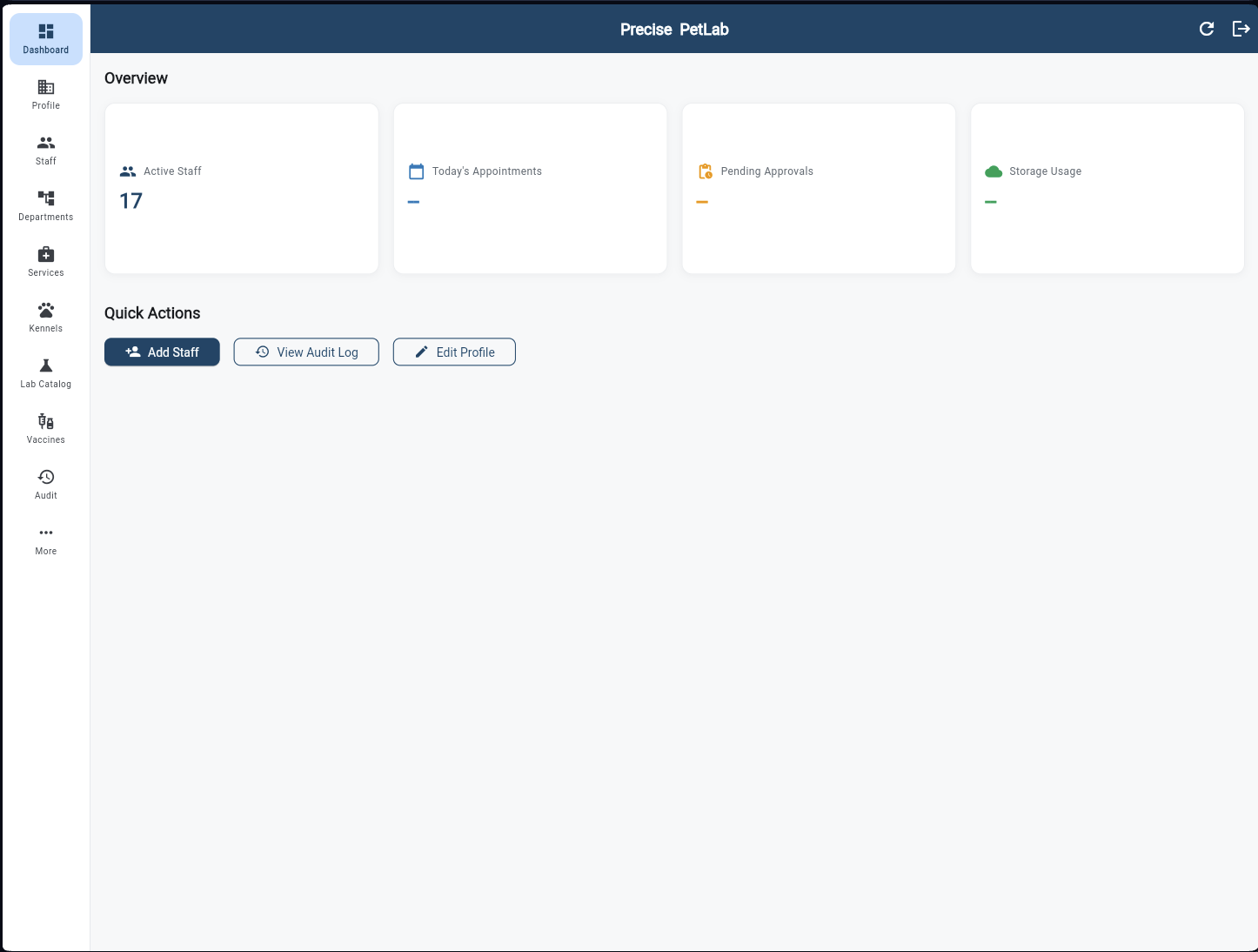
The hospital admin's overview at a glance. Four KPI cards show Active Staff count, Today's Appointments, Pending Approvals, and Storage Usage. Quick Actions provide one-tap access to Add Staff, View Audit Log, and Edit Profile. The NavigationRail gives instant access to every configuration section — Profile, Staff, Departments, Services, Kennels, Lab Catalog, Vaccines, Audit, and More.
Hospital Profile
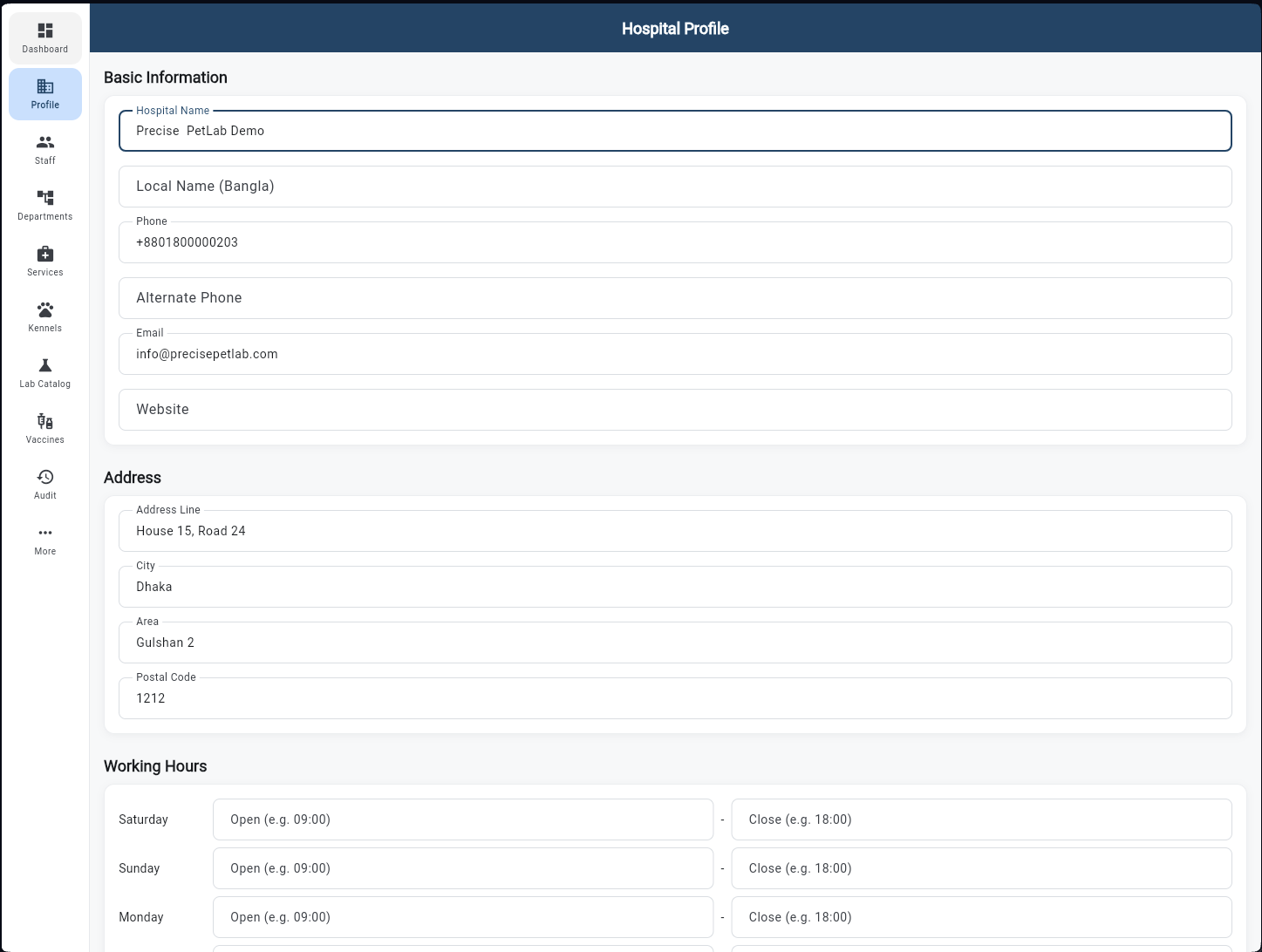
Configure the clinic's public identity. Basic Information covers the Hospital Name (English and Bangla), phone numbers, email, and website. The Address section captures street, city, area (e.g. Gulshan 2), and postal code. Working Hours sets the open/close time for each day of the week — information that surfaces in the Customer App and booking screens.
Staff Management
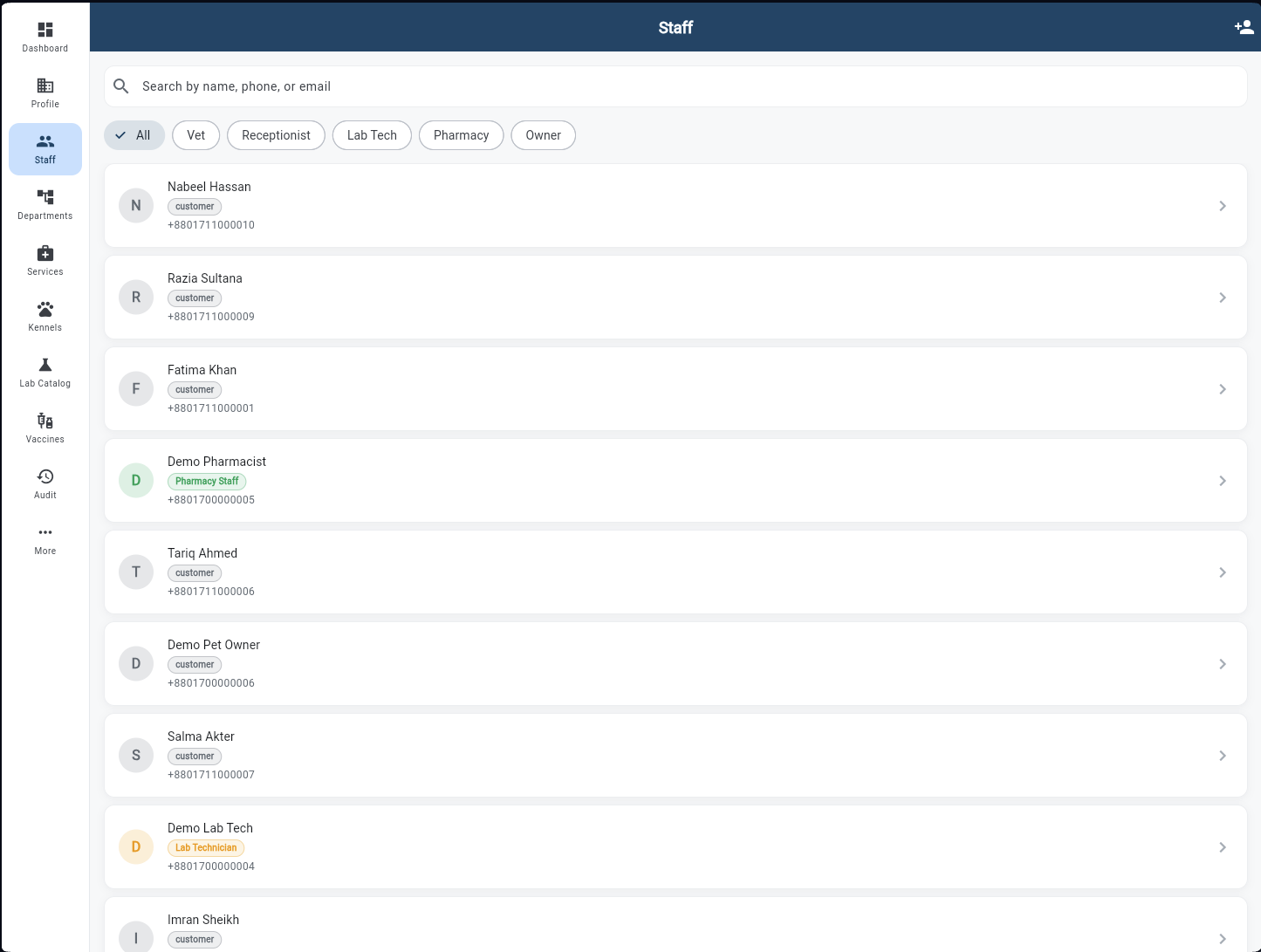
The full user directory for the hospital. Role filter chips (All, Vet, Receptionist, Lab Tech, Pharmacy, Owner) narrow the list instantly. Each staff card shows the person's name, role badge, phone number, and a chevron to open their profile. The + button in the top bar creates a new staff account — assigning their role grants them automatic access to the correct app with the correct permissions.
Departments
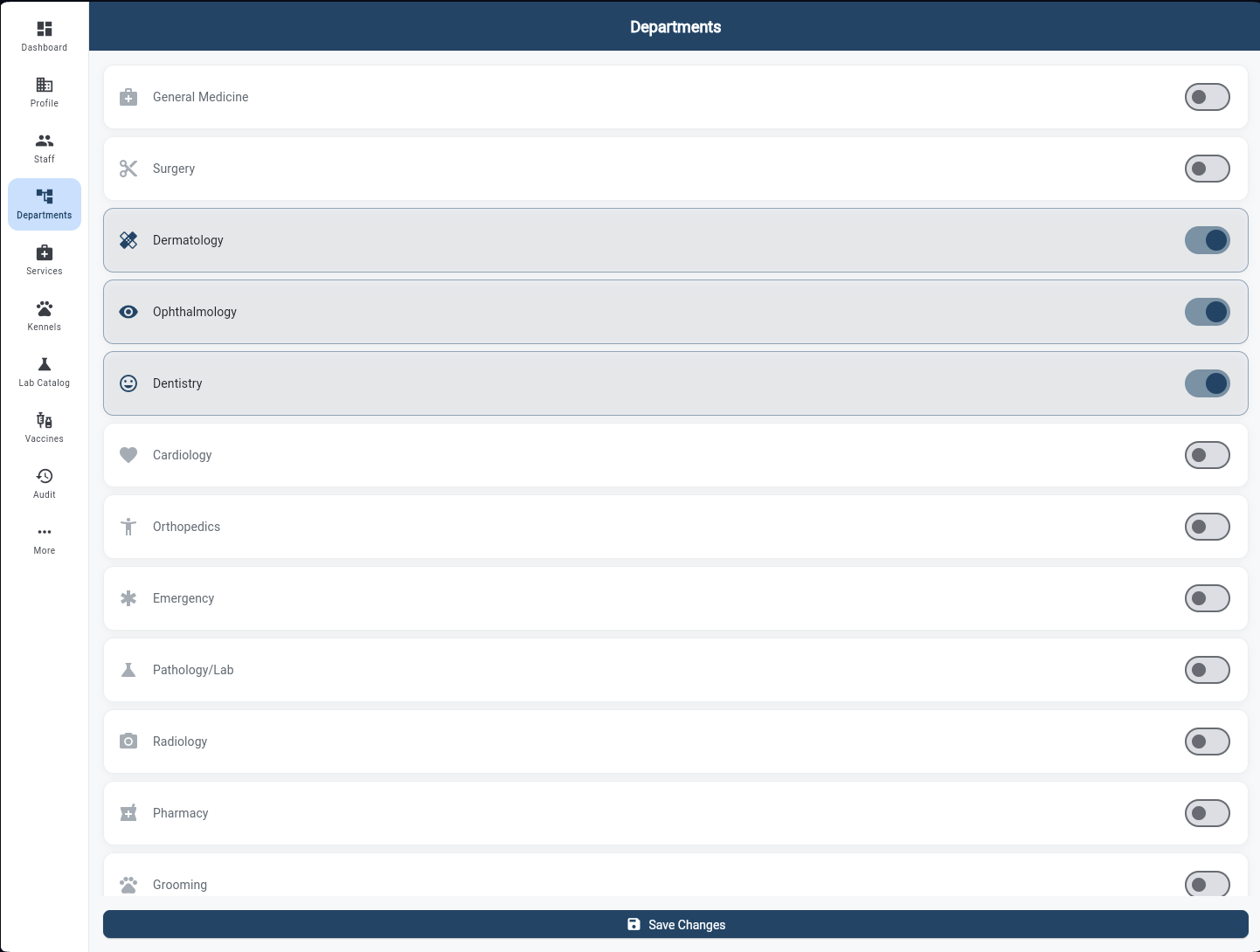
Enable or disable clinical departments for this hospital with a single toggle. Departments available include General Medicine, Surgery, Dermatology, Ophthalmology, Dentistry, Cardiology, Orthopedics, Emergency, Pathology/Lab, Radiology, Pharmacy, and Grooming. Only enabled departments appear in the Vet App's consultation and referral screens. Save Changes applies the configuration instantly.
Services & Pricing
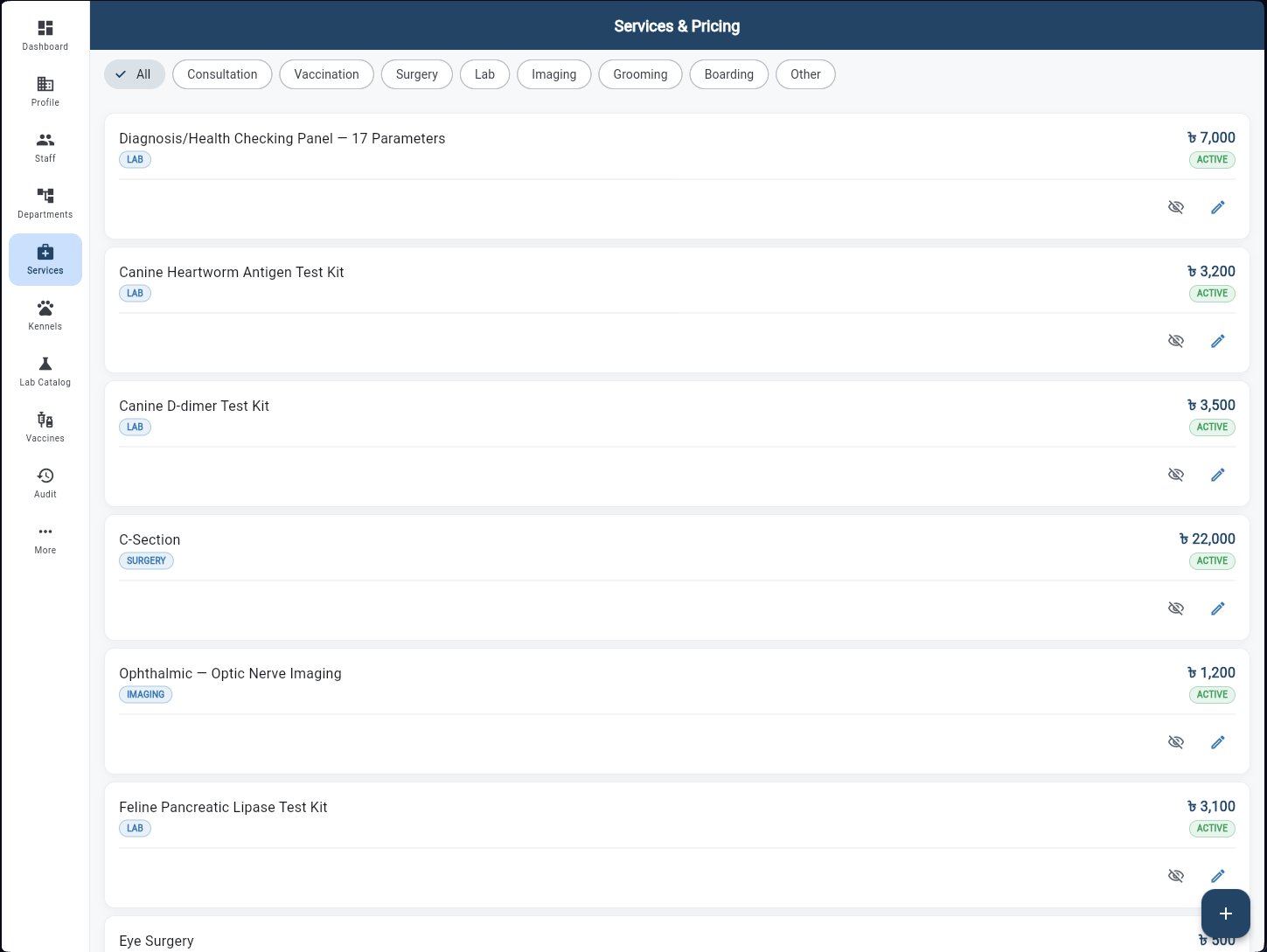
The clinic's full service catalog with BDT pricing and category tags. Filter chips across the top — All, Consultation, Vaccination, Surgery, Lab, Imaging, Grooming, Boarding, Other — let admins quickly find and edit any service. Each row shows the service name, category badge, price in BDT, and ACTIVE status. Edit the price or hide a service from the catalog without deleting it.
Kennel Management
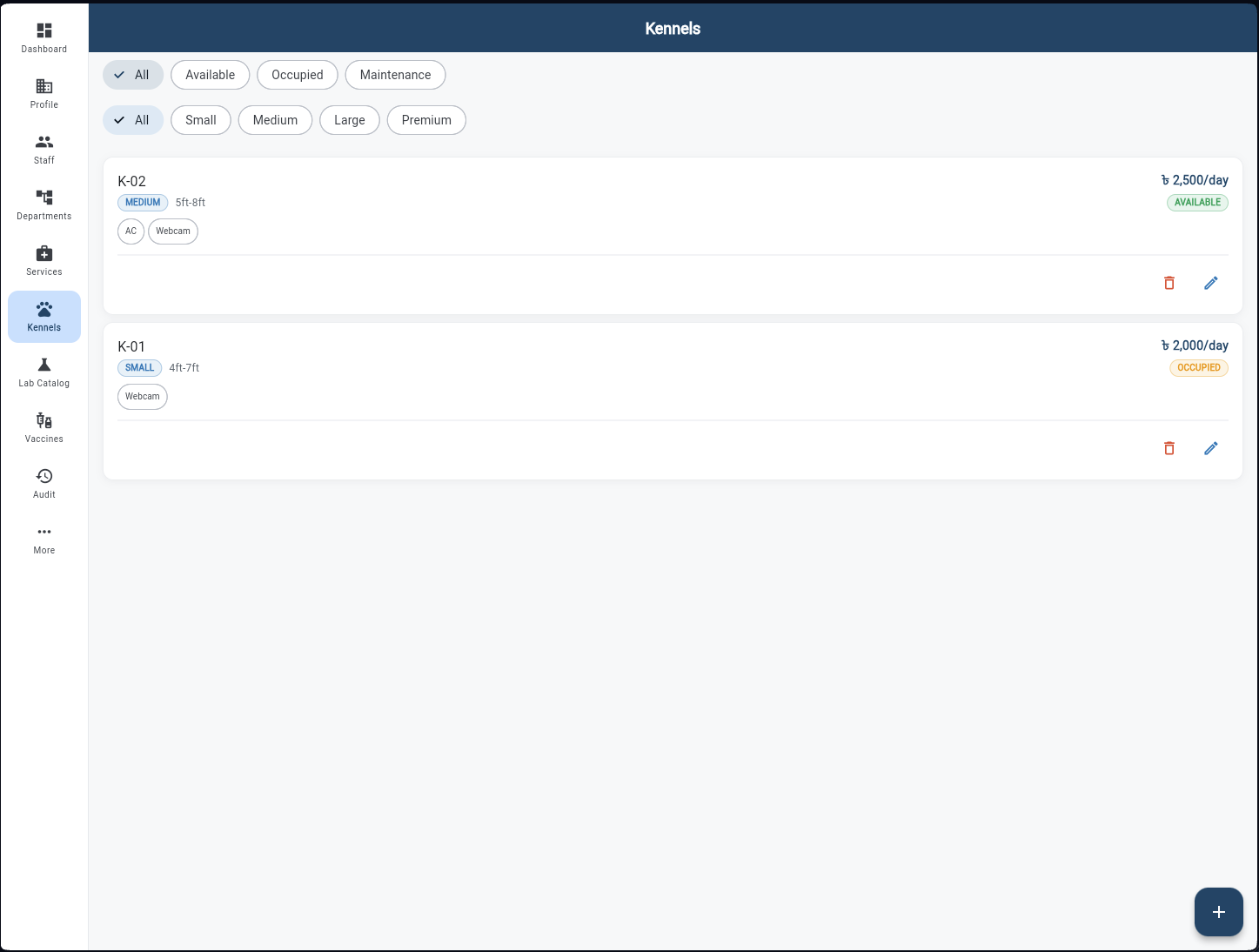
Define and manage the clinic's kennel inventory. Two rows of filter chips let admins view by status (All, Available, Occupied, Maintenance) and by size (All, Small, Medium, Large, Premium). Each kennel card shows its ID code, size badge, dimensions, amenities (AC, Webcam), daily rate in BDT, and live status — AVAILABLE in green, OCCUPIED in orange. Add new kennels or edit existing ones with the + FAB.
Lab Test Catalog
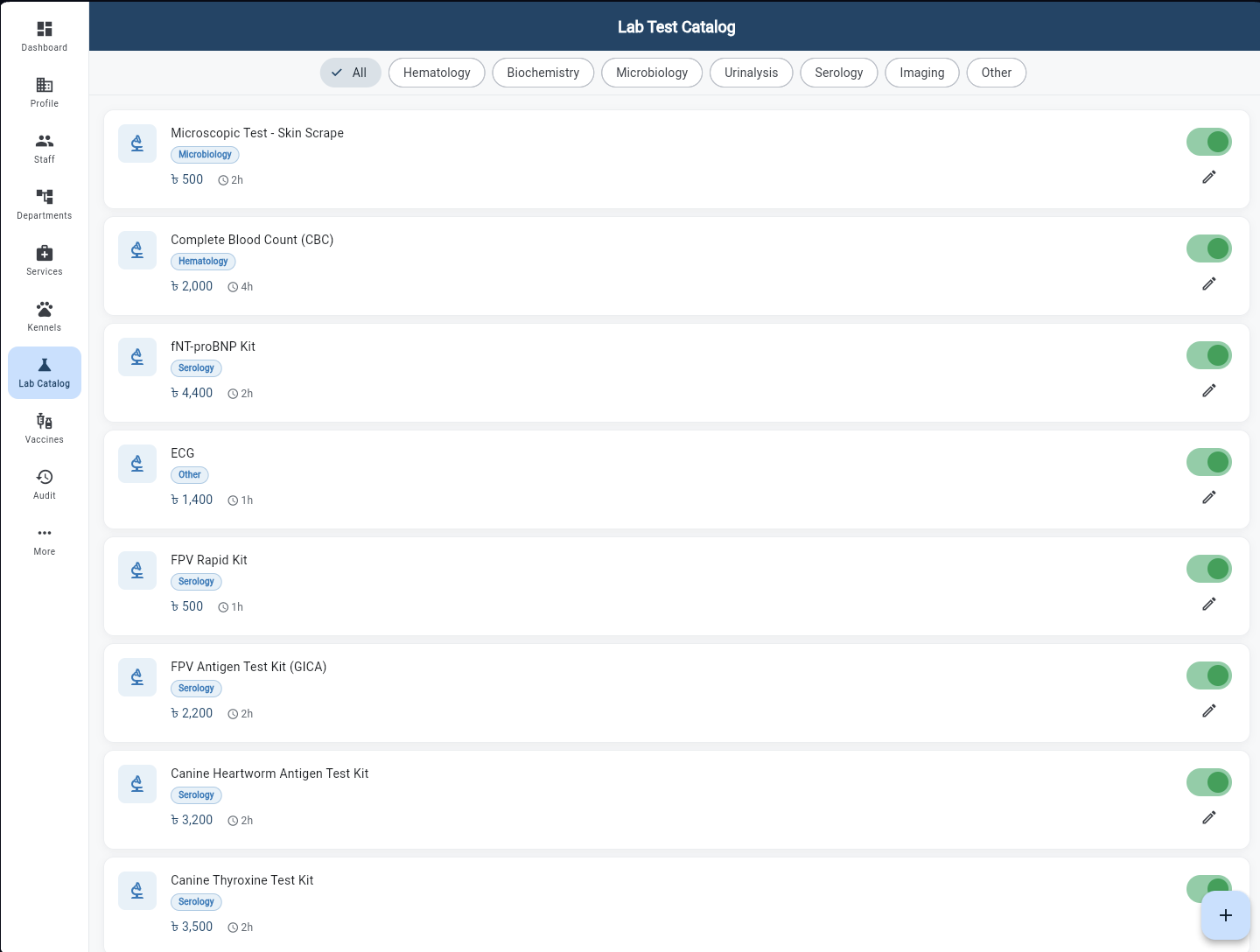
The master list of all lab tests offered by the hospital. Category filters — Hematology, Biochemistry, Microbiology, Urinalysis, Serology, Imaging, Other — narrow the view. Each test shows its name, category badge (Microbiology, Hematology, Serology, Other), price in BDT, and estimated turnaround time. A green toggle enables or disables each test, and the edit icon updates pricing or turnaround time. This catalog feeds directly into the Vet App's lab order screen.
Vaccine Catalog
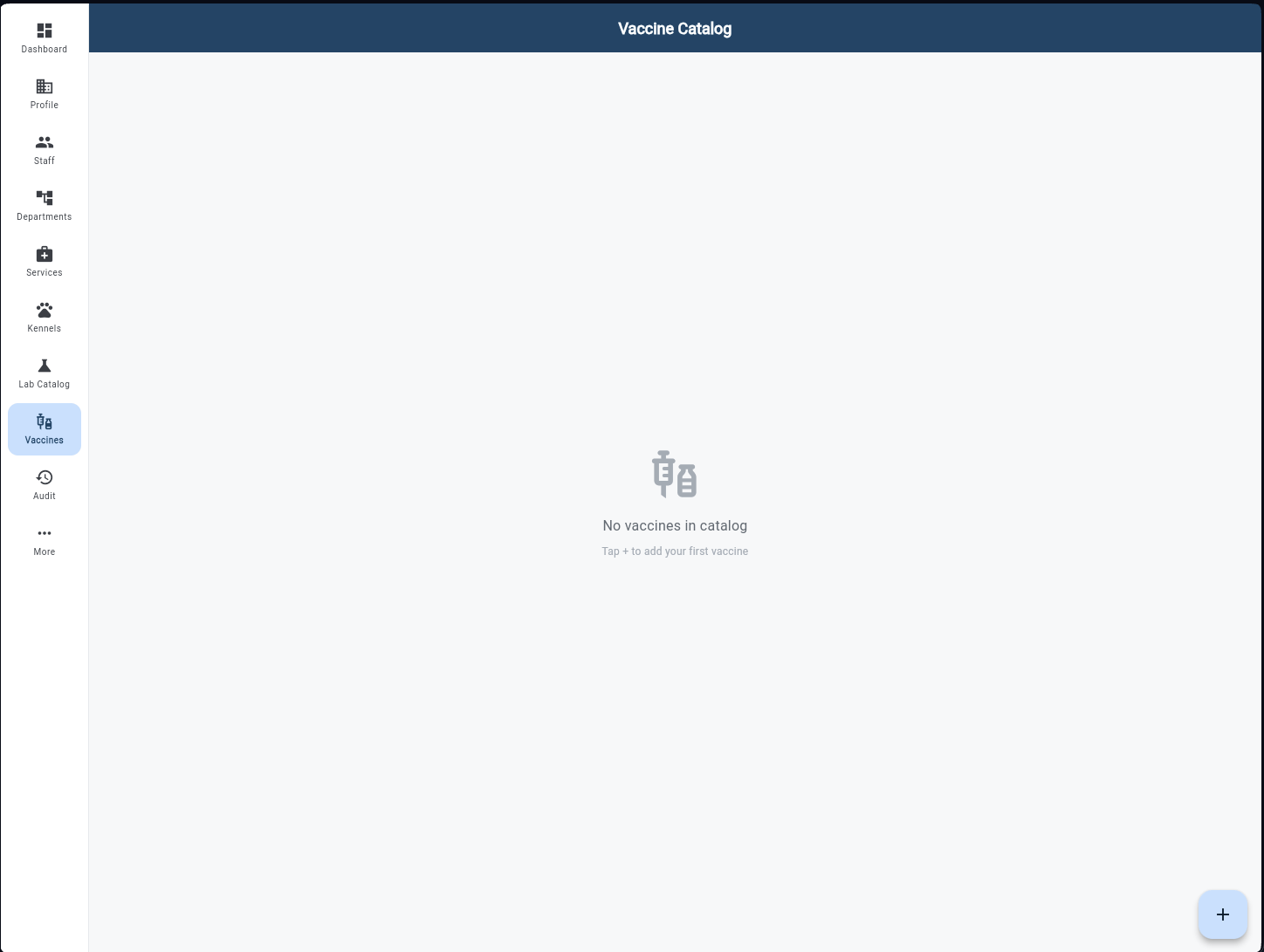
Manage the clinic's approved vaccine list. The catalog shows all vaccines with their species applicability, price, and active status. When the catalog is empty it prompts the admin to add the first entry. Each vaccine entry drives the Vet App's vaccination screen — only catalog vaccines can be recorded against a patient's health record.
Add Vaccine
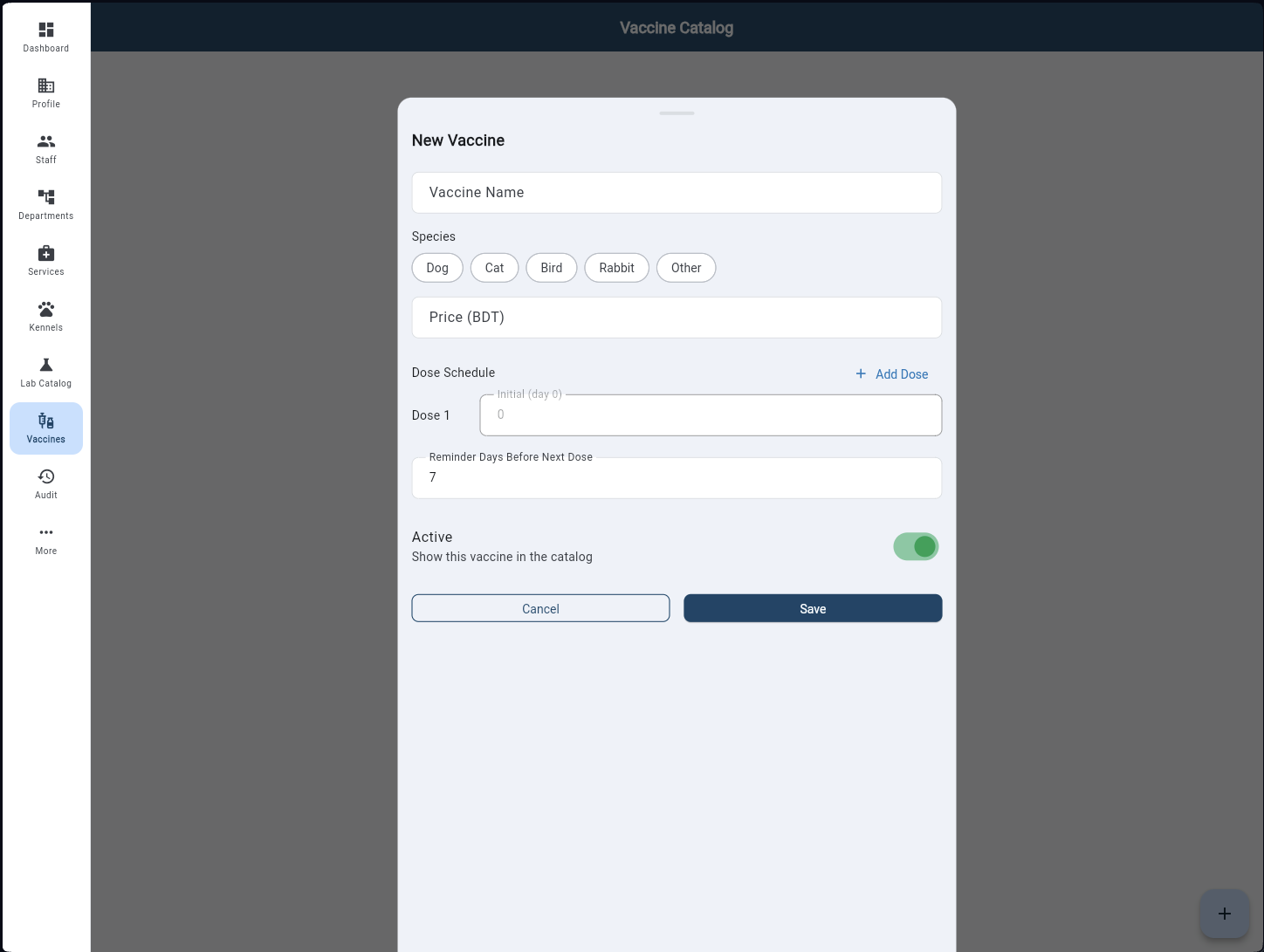
A simple form to add a new vaccine to the catalog. Fields include Vaccine Name, Species (Dog, Cat, Bird, Rabbit, Other chips), Price in BDT, and Dose Schedule. Each dose entry has an Initial Day field; the + Add Dose button adds subsequent doses. Reminder Days Before Next Dose defaults to 7. An Active toggle controls whether the vaccine appears in the Vet App immediately after saving.
Audit Logs
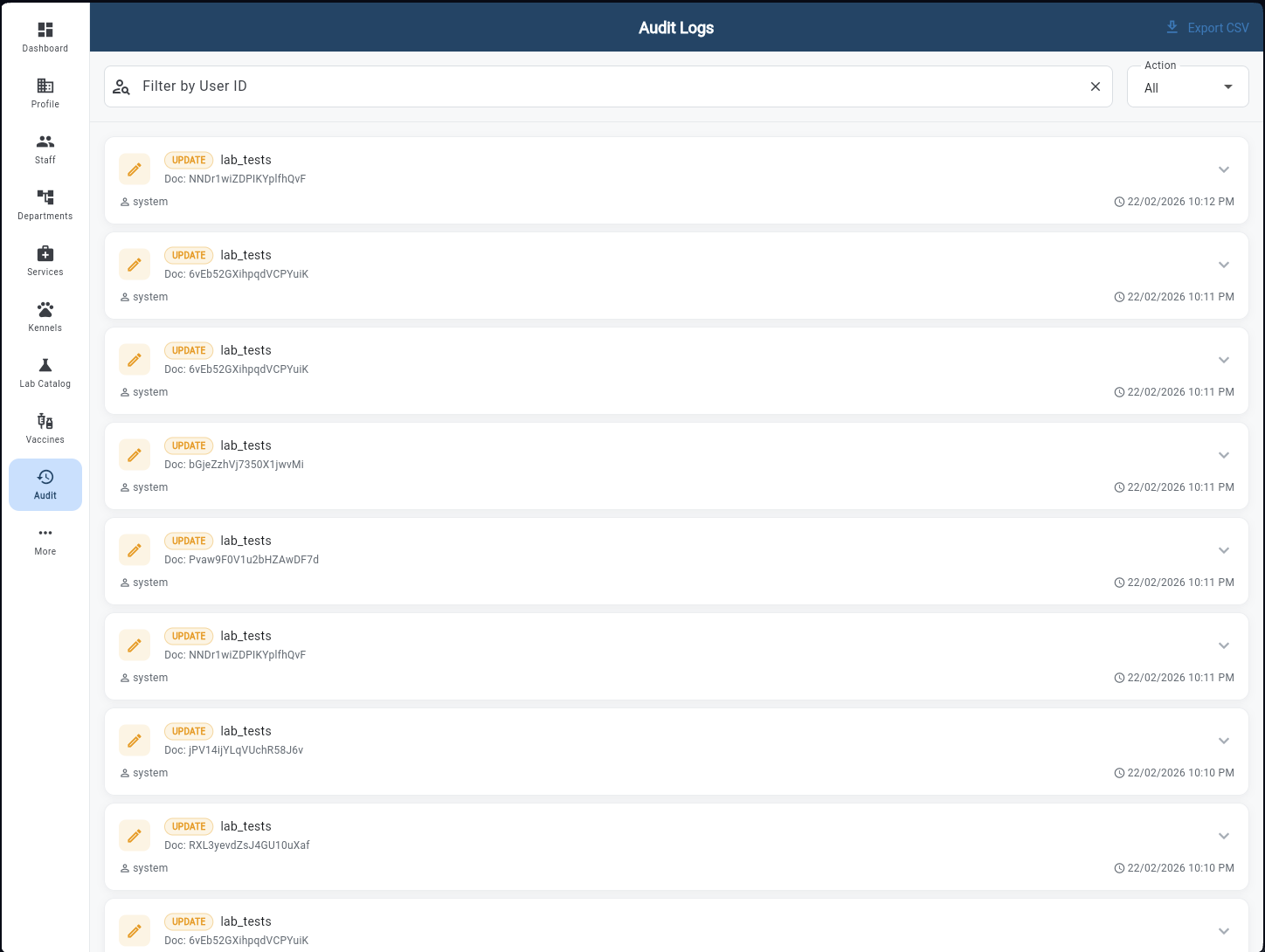
A tamper-evident log of every action taken in the system. Each entry shows the action type badge (UPDATE, CREATE, DELETE), the affected collection and document ID, the user who performed it, and a precise timestamp. Filter by User ID to investigate a specific staff member's activity, or filter by Action type (All, Create, Update, Delete) to find specific changes. Export to CSV for compliance reporting.