From Test Order to Signed Results
Follow a lab test from the moment a vet orders it through sample collection, processing, result entry, quality review, and statistics.
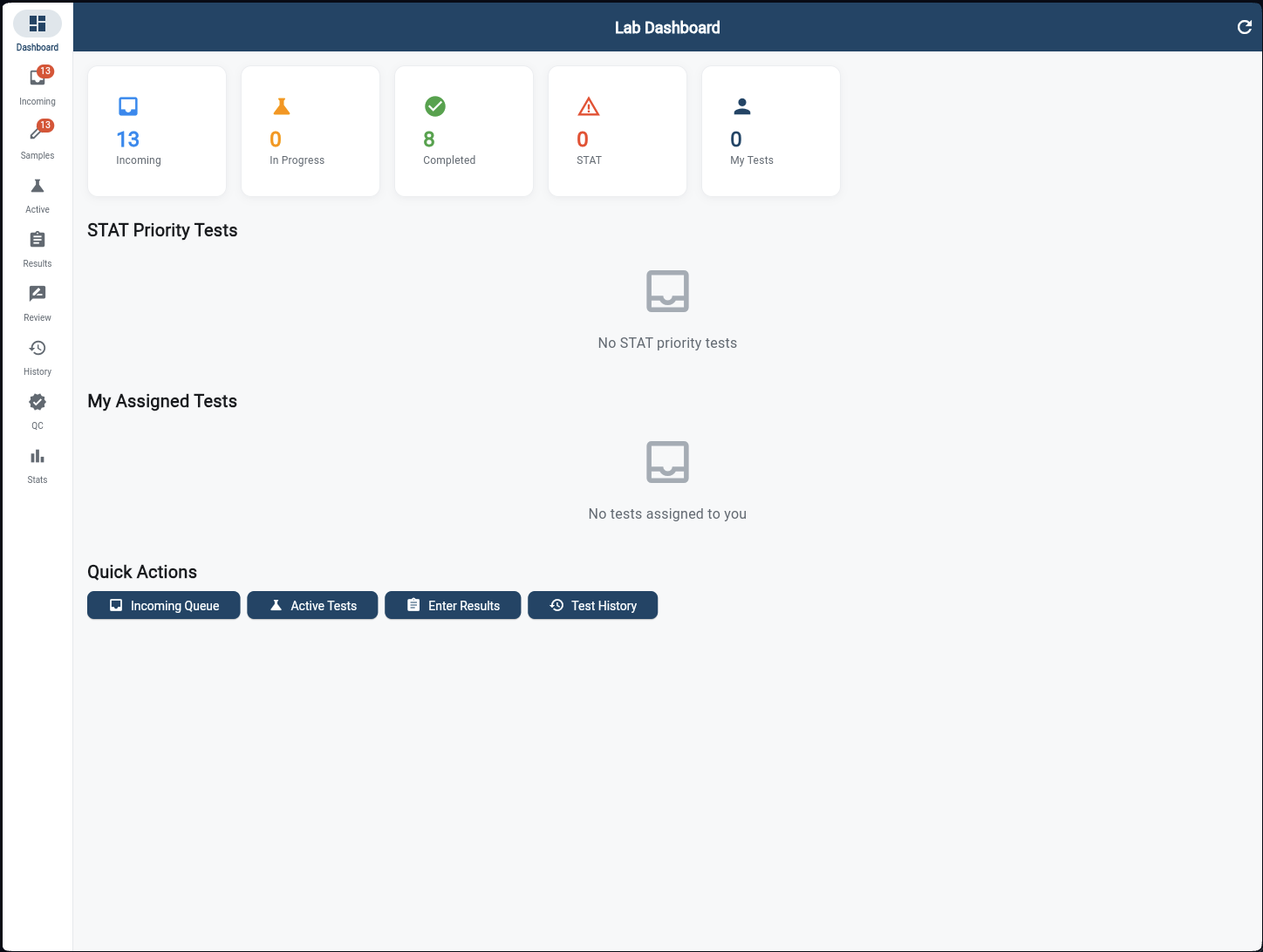
Lab Dashboard
The lab tech's morning overview. Five KPI cards display Incoming tests, In Progress, Completed, STAT (urgent) count, and My Tests. STAT Priority Tests are surfaced prominently so nothing critical gets missed. Quick Actions provide one-tap access to Incoming Queue, Active Tests, Enter Results, and Test History.
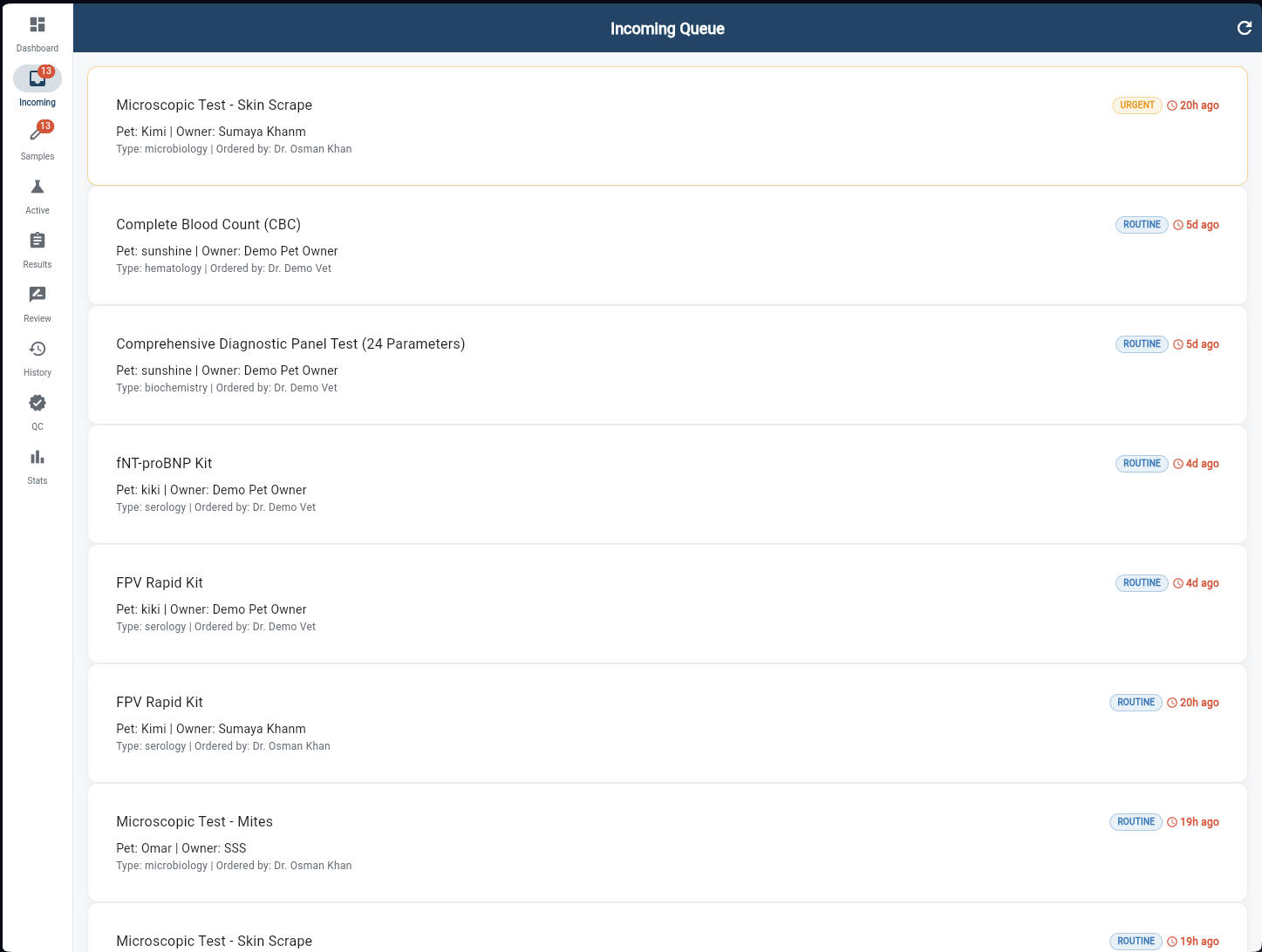
Incoming Queue
All test orders from vets arrive here automatically, sorted by urgency — URGENT tests highlighted in orange, ROUTINE in blue. Each card shows the test name, patient, owner, test category (hematology, microbiology, serology, biochemistry), ordering vet, and time elapsed. The tech accepts the order to begin processing.
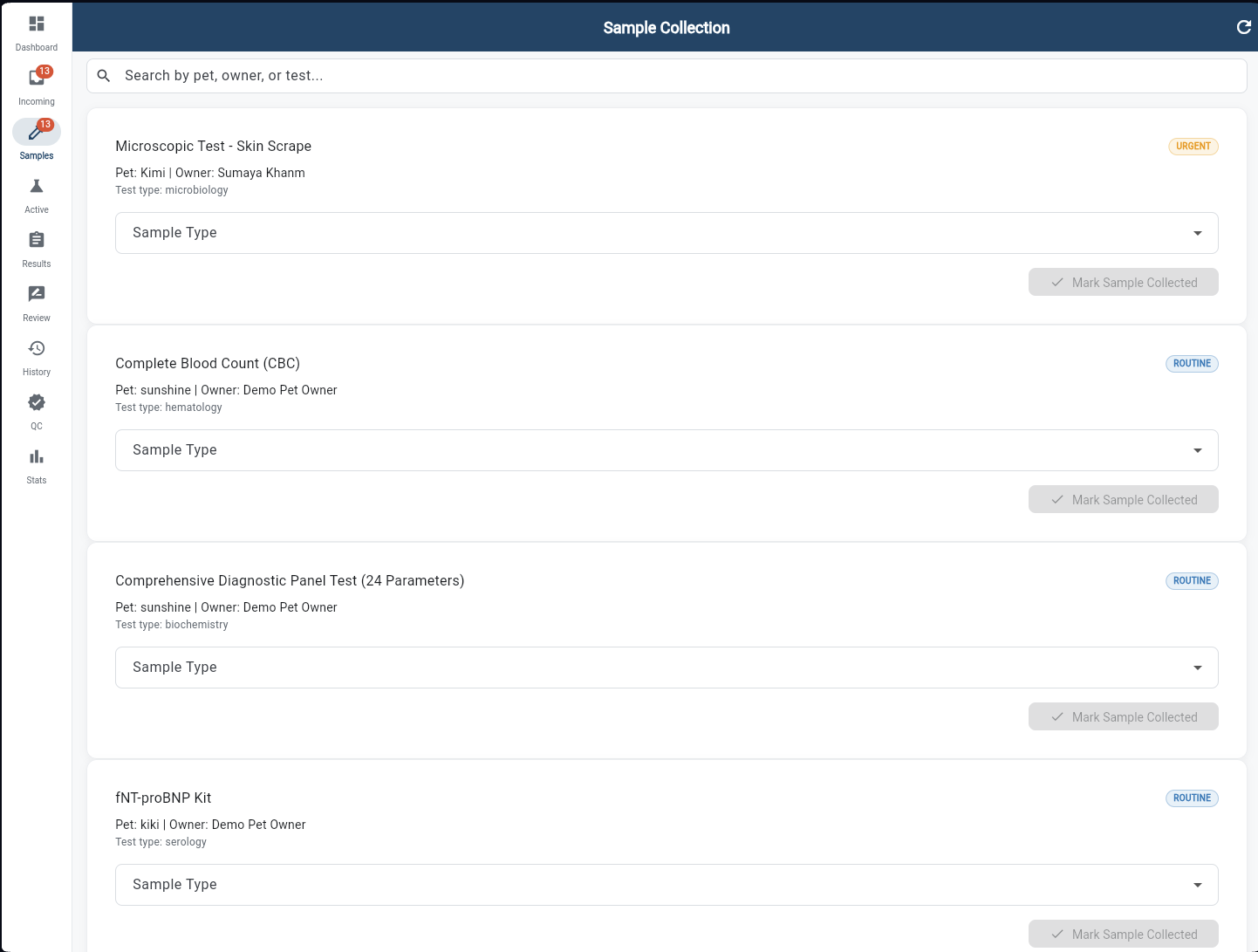
Sample Collection
For each accepted test, the technician selects the sample type from a dropdown (blood, urine, swab, tissue, etc.) and taps "Mark Sample Collected". This records the chain of custody timestamp and moves the test to Active. URGENT tests are flagged in orange — the tech knows to prioritise them immediately.
Active Tests
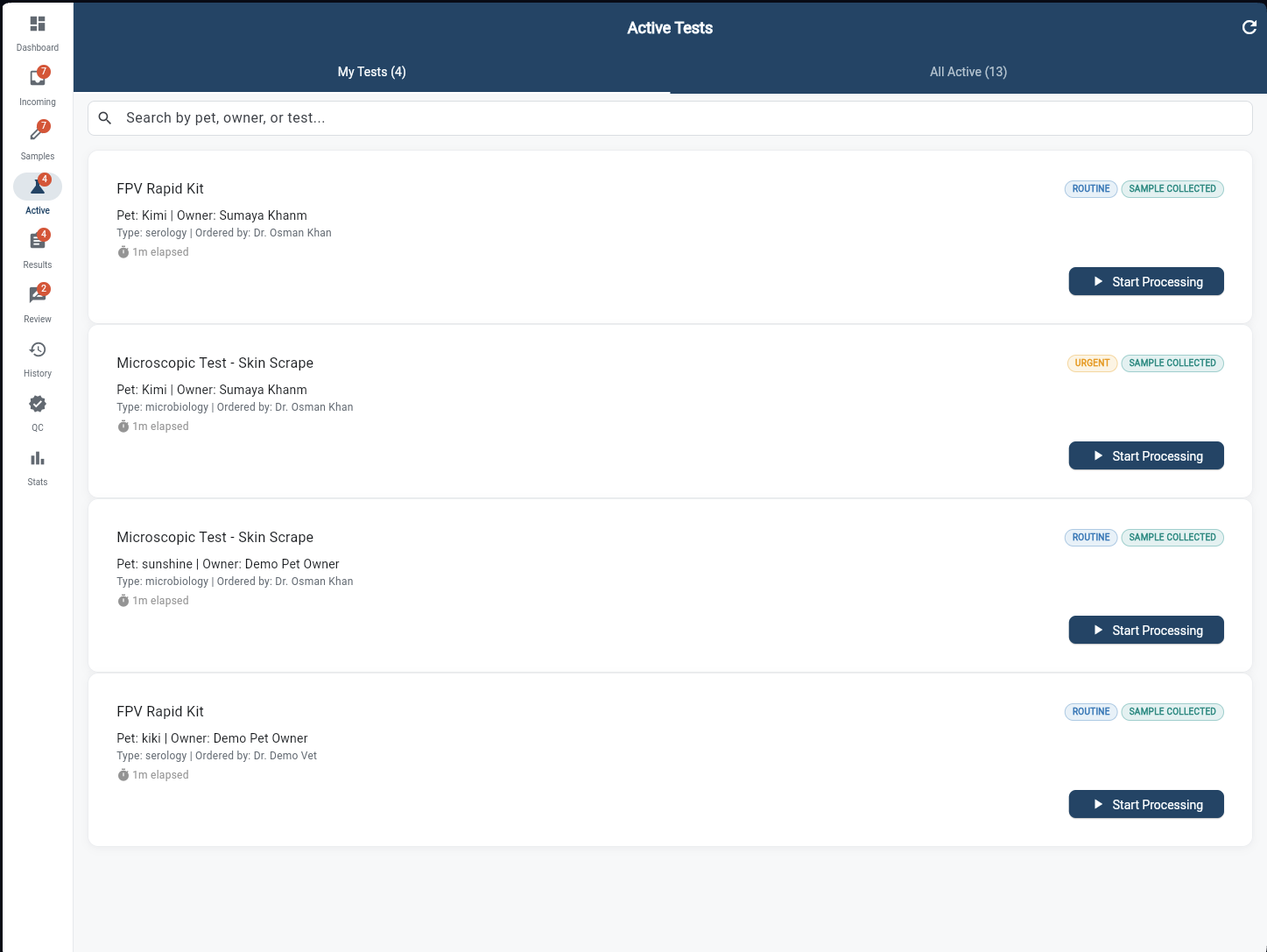
Tests that have samples collected and are ready for analysis. Two tabs — My Tests (assigned to you) and All Active (entire lab) — let techs manage their own workload while the supervisor monitors all. Each card shows the test, patient, ordering vet, elapsed time, and a "Start Processing" button. URGENT tests are always highlighted.
Result Entry
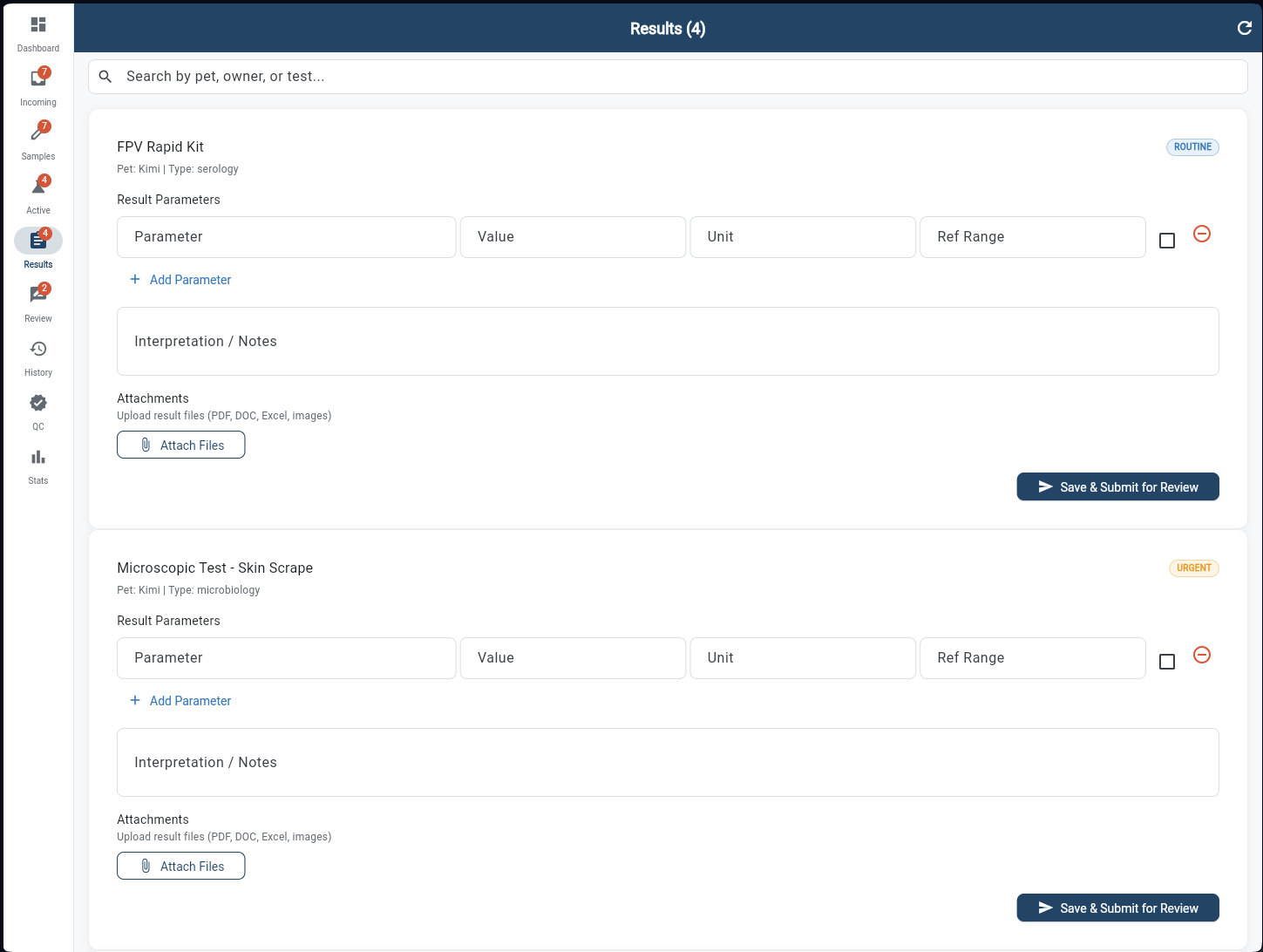
The technician enters each result parameter — name, value, unit, and reference range. Rows outside the normal range are automatically flagged. A free-text "Interpretation / Notes" field lets the tech add clinical commentary. File attachments (PDF, images, Excel) can be uploaded alongside the structured data. Submit sends the results for senior review.
Review & Sign Off
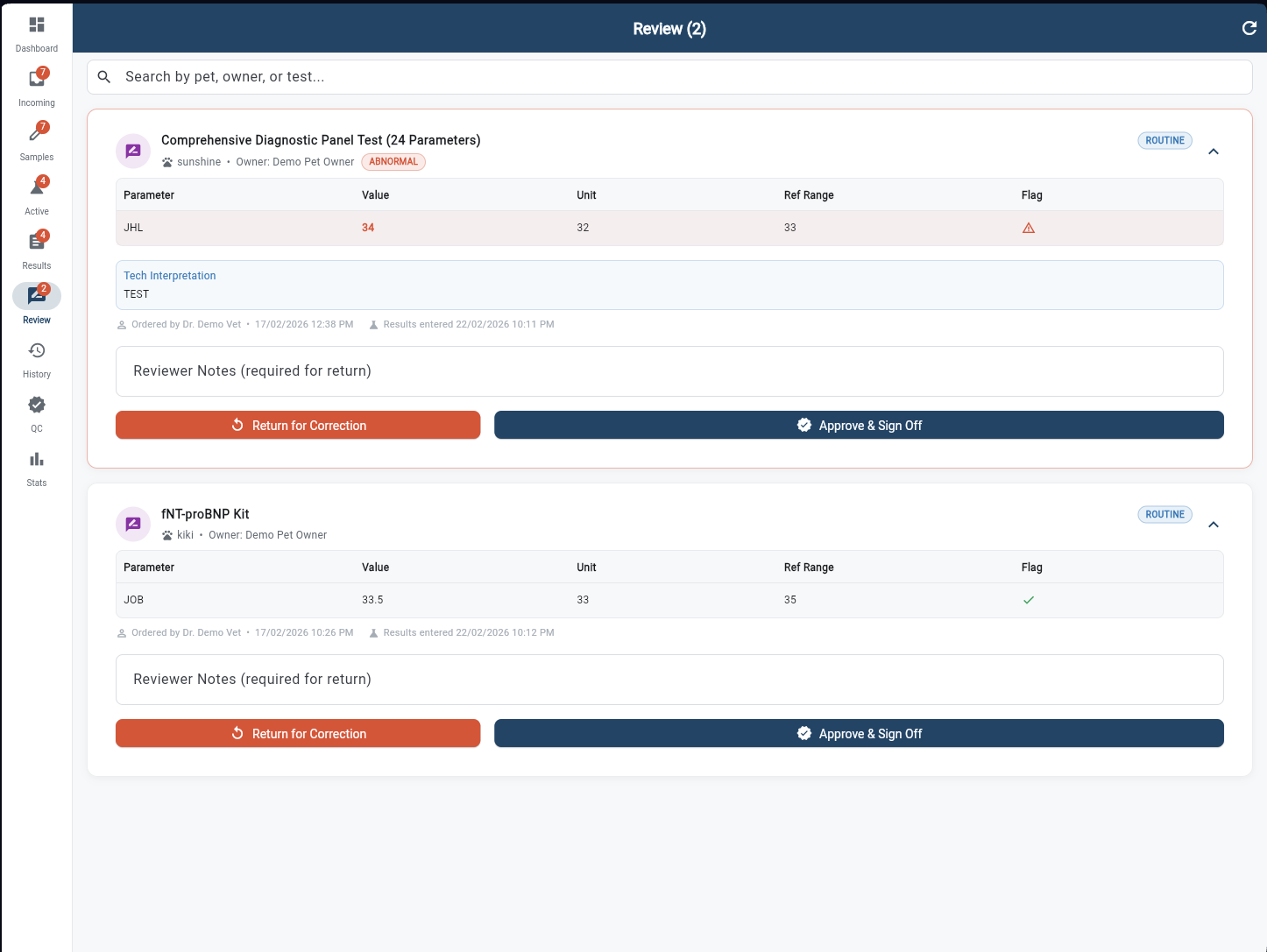
Submitted results go to the Review queue for senior sign-off. Each card expands to show the full parameter table with values, units, reference ranges, and flag indicators — a green tick for normal, a red warning for abnormal. The reviewer can add notes and either "Return for Correction" or "Approve & Sign Off" to release results to the ordering vet.
Test History
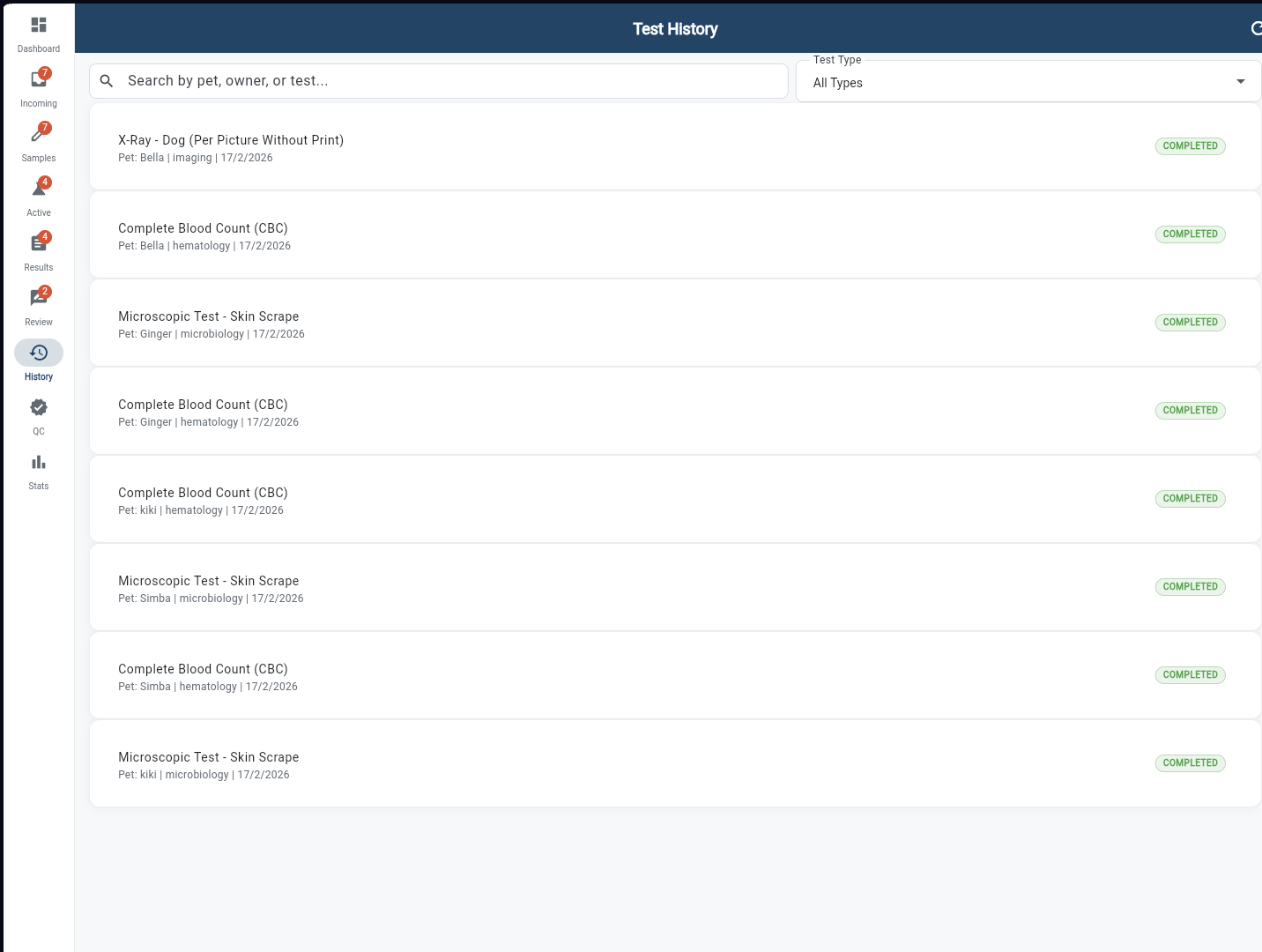
A complete searchable archive of every completed test. Filter by test type using the dropdown — hematology, microbiology, imaging, biochemistry, and more. Each row shows the test name, patient, category, completion date, and a COMPLETED badge. Tap any entry to view the full signed result with parameters and the tech's interpretation notes.
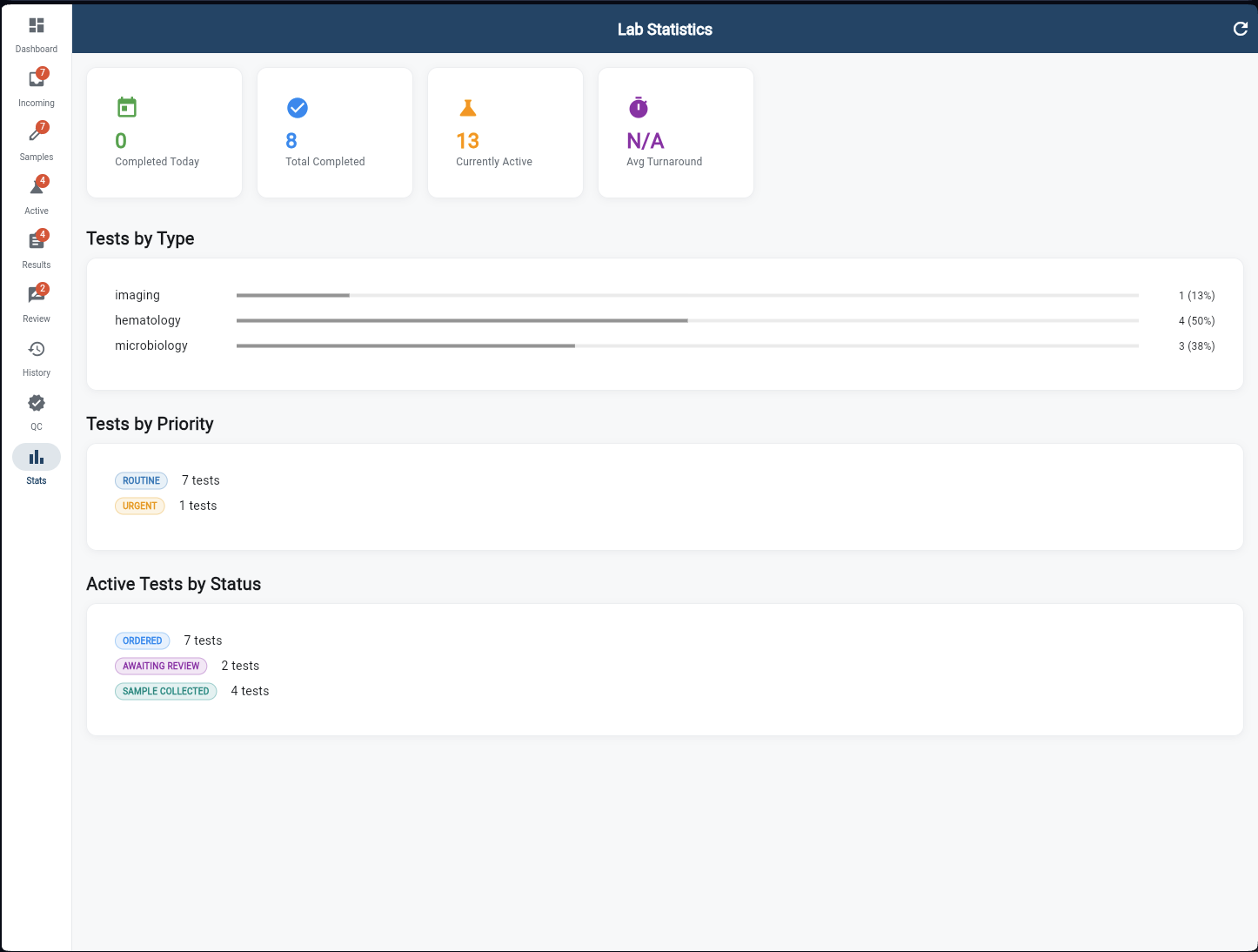
Lab Statistics
Performance metrics for the lab at a glance. KPI cards show Completed Today, Total Completed, Currently Active, and Average Turnaround time. Tests by Type breaks down the workload across imaging, hematology, and microbiology with percentage bars. Tests by Priority shows Routine vs Urgent split, and Active Tests by Status reveals where the bottlenecks are — Ordered, Sample Collected, or Awaiting Review.