From Arrival to Checkout
Follow a patient's complete visit — from the moment they walk in through billing, boarding, and staff attendance.
Reception Dashboard
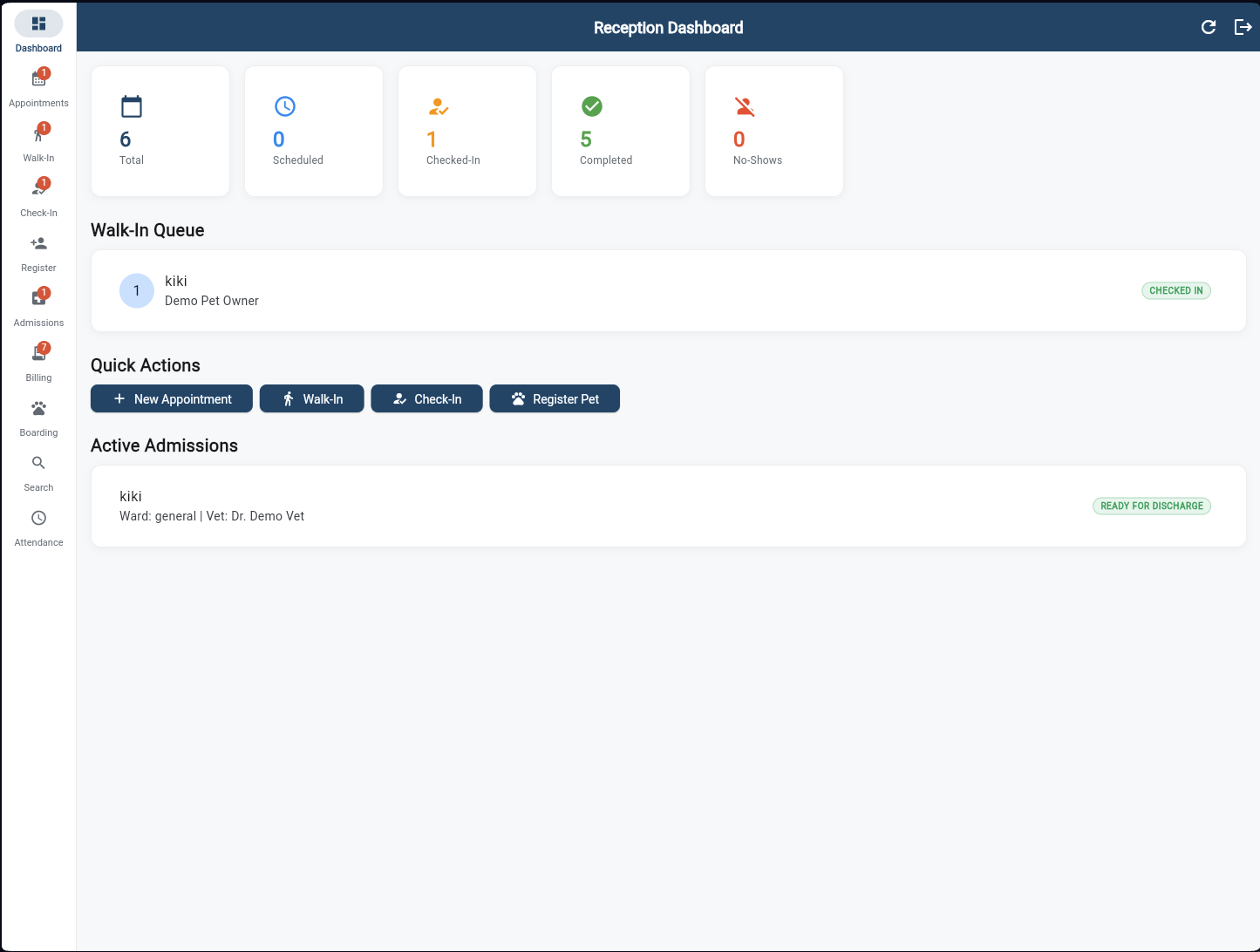
The morning view at a glance. KPI cards show today's total appointments, checked-in count, completed visits, and no-shows. The Walk-In Queue lists patients in real time, Quick Actions give one-tap access to New Appointment, Walk-In, Check-In, and Register Pet. Active Admissions surfaces any inpatients ready for discharge.
Walk-In Queue
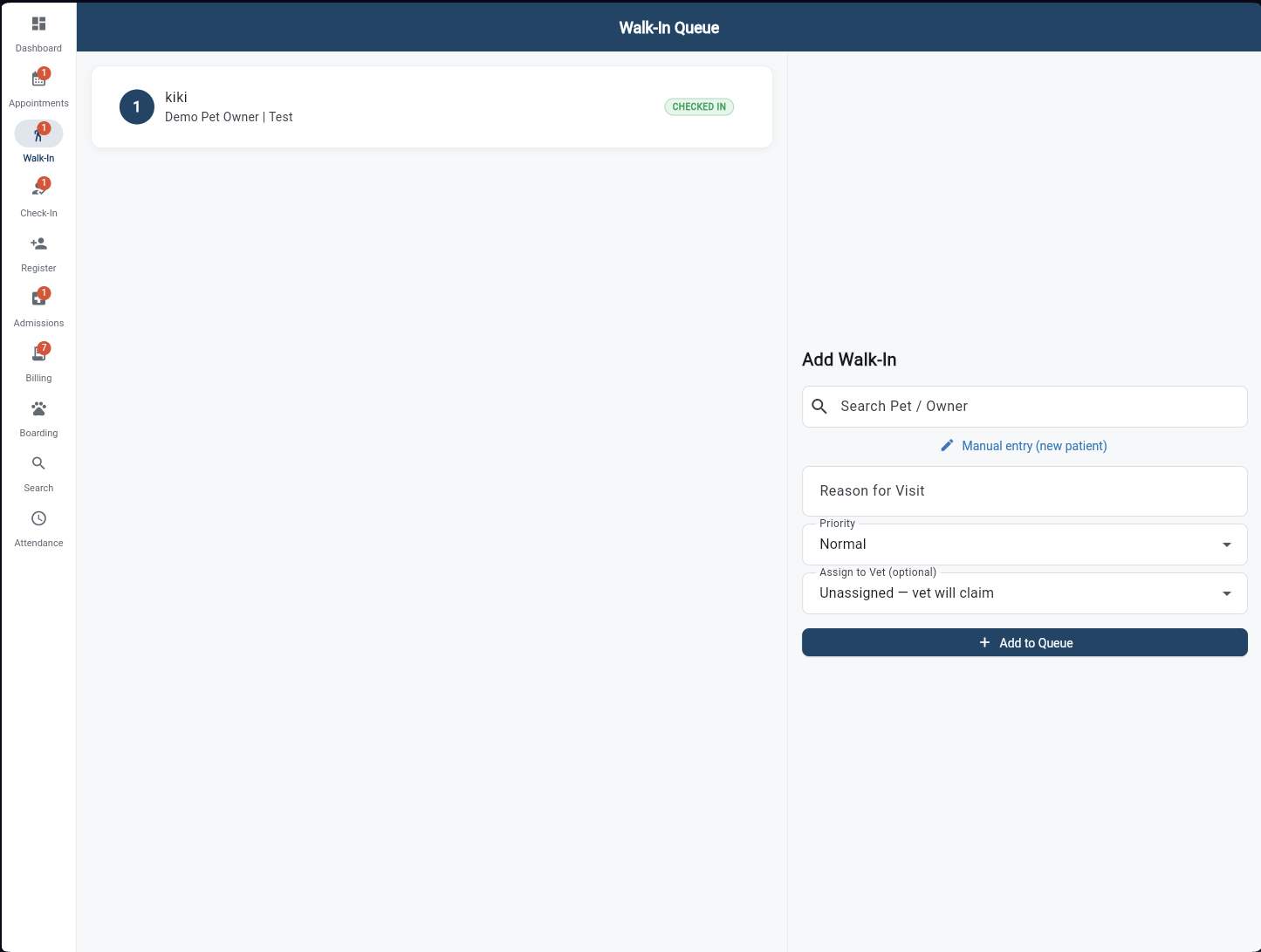
Search for an existing pet by name or owner phone number, or tap "Manual entry" for a brand-new patient. Set the reason for visit, assign a priority (Normal, Urgent, Emergency), and optionally pre-assign a vet. One tap adds them to the live queue — the vet sees it instantly on their screen.
Check-In
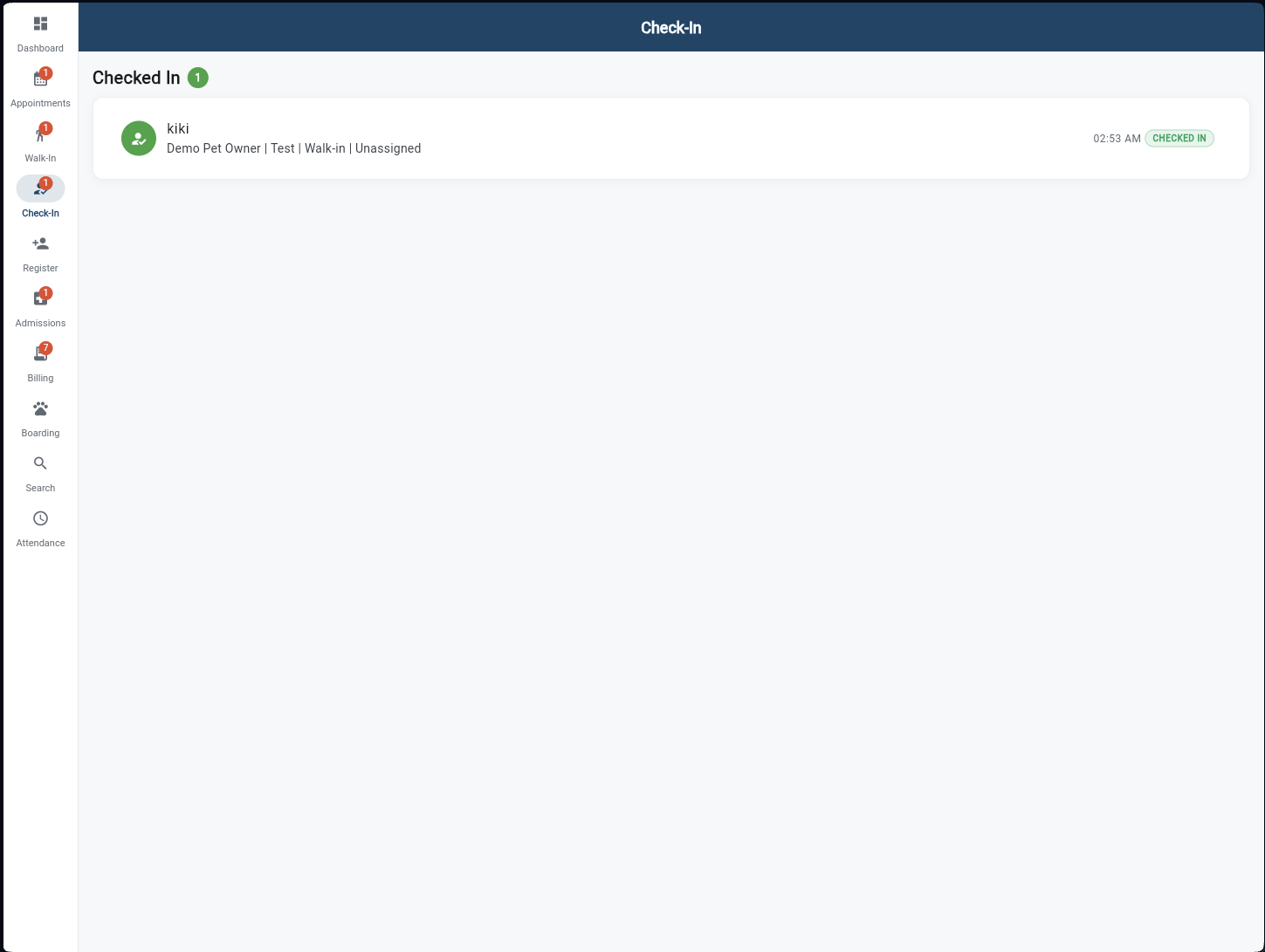
Booked appointments that arrive physically are checked in here. The screen shows every patient currently checked in, their owner, visit type, and time. Status badges update in real time — Checked In, In Consultation, Completed — giving reception a live view of who is where in the clinic.
Register Owner & Pet
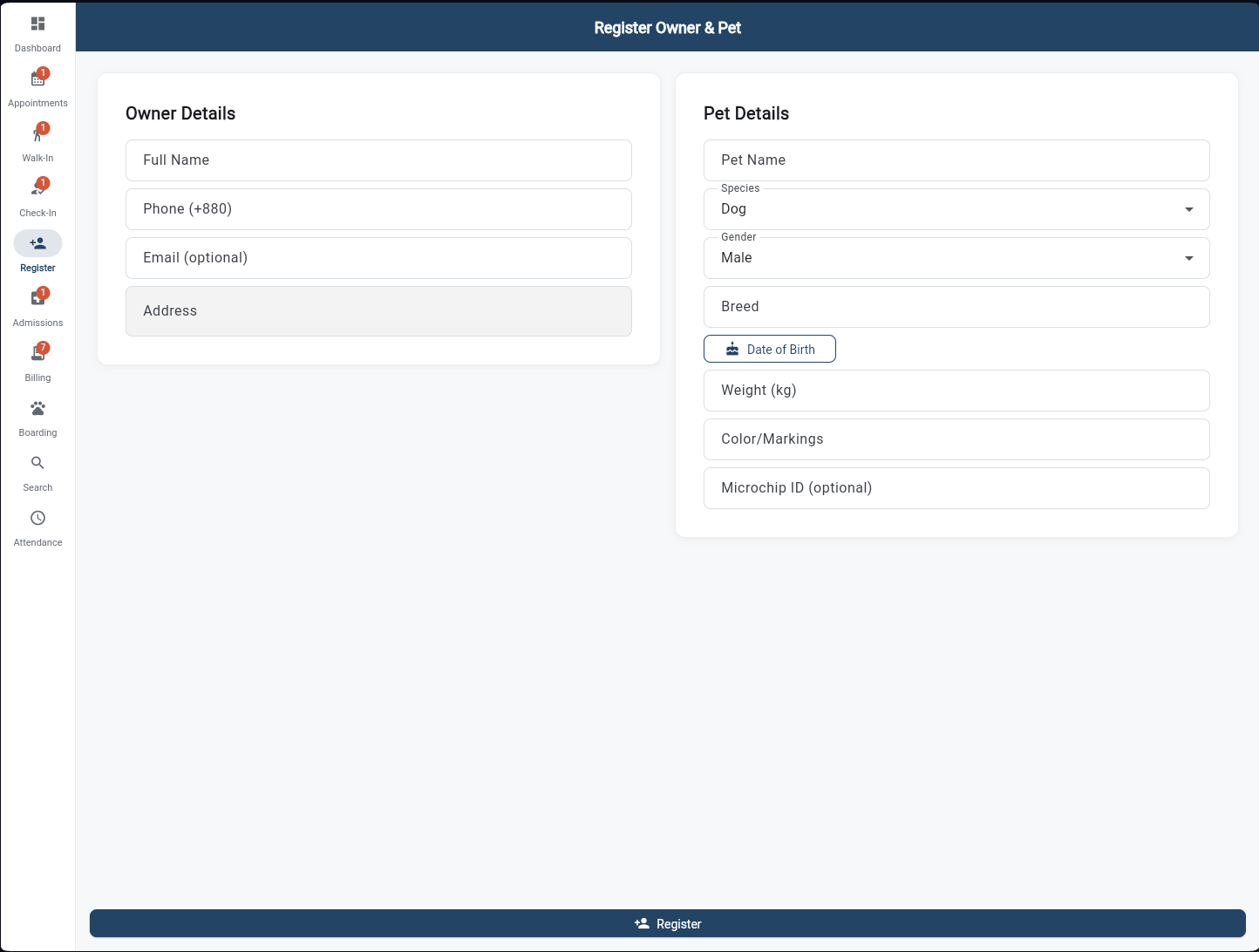
First-time clients are registered in a single two-panel form. Left side captures owner details — full name, phone (+880), email, and address. Right side records the pet — name, species, gender, breed, date of birth, weight, colour/markings, and optional microchip ID. One submit creates both profiles and links them.
Appointments Calendar
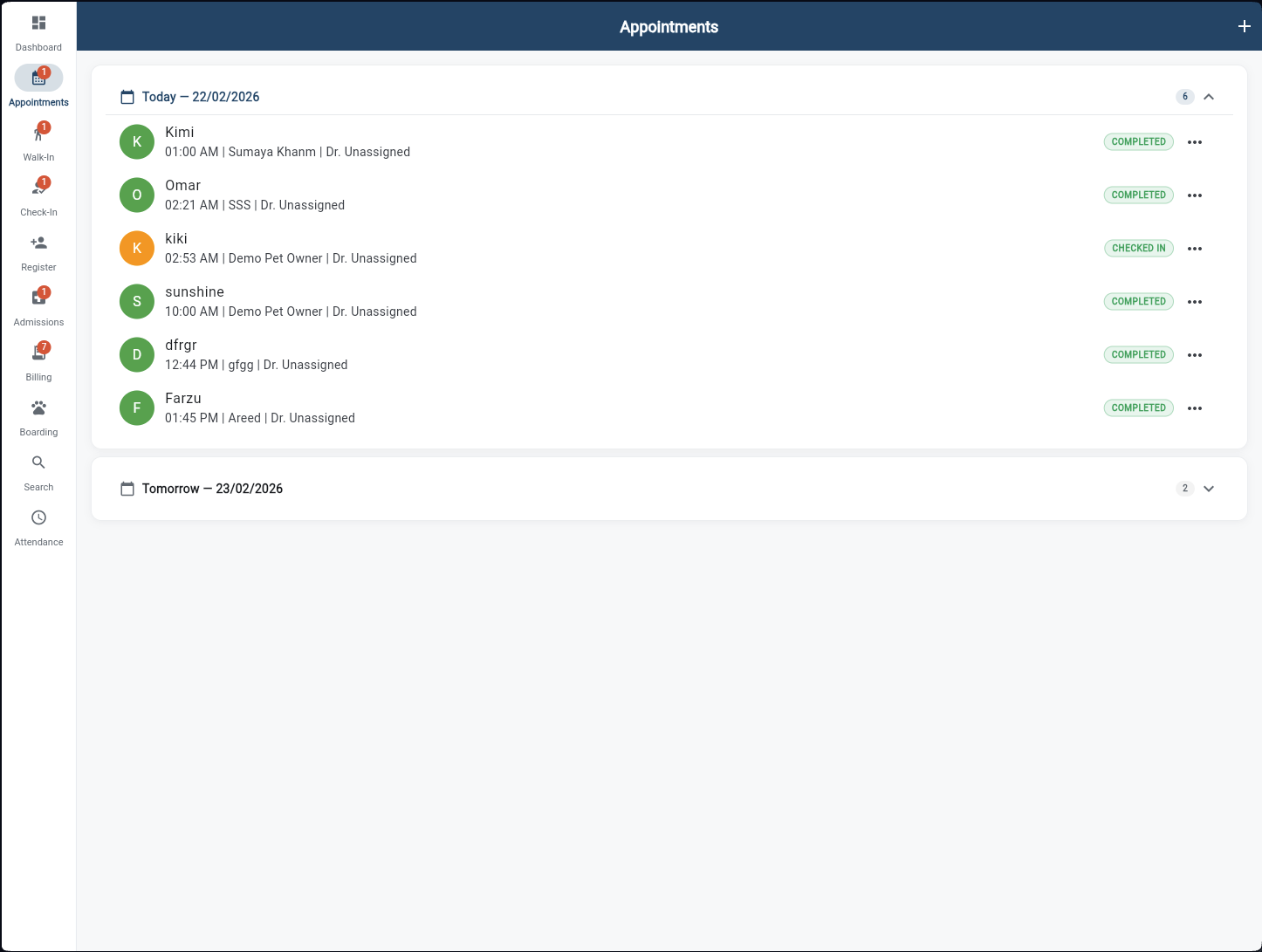
All upcoming and past appointments grouped by date. Each row shows the pet name, owner, time slot, assigned vet, and a colour-coded status badge (Scheduled, Checked In, Completed, No-Show). The + button books a new appointment — for follow-ups, clients leave with their next visit already confirmed.
Admission Desk
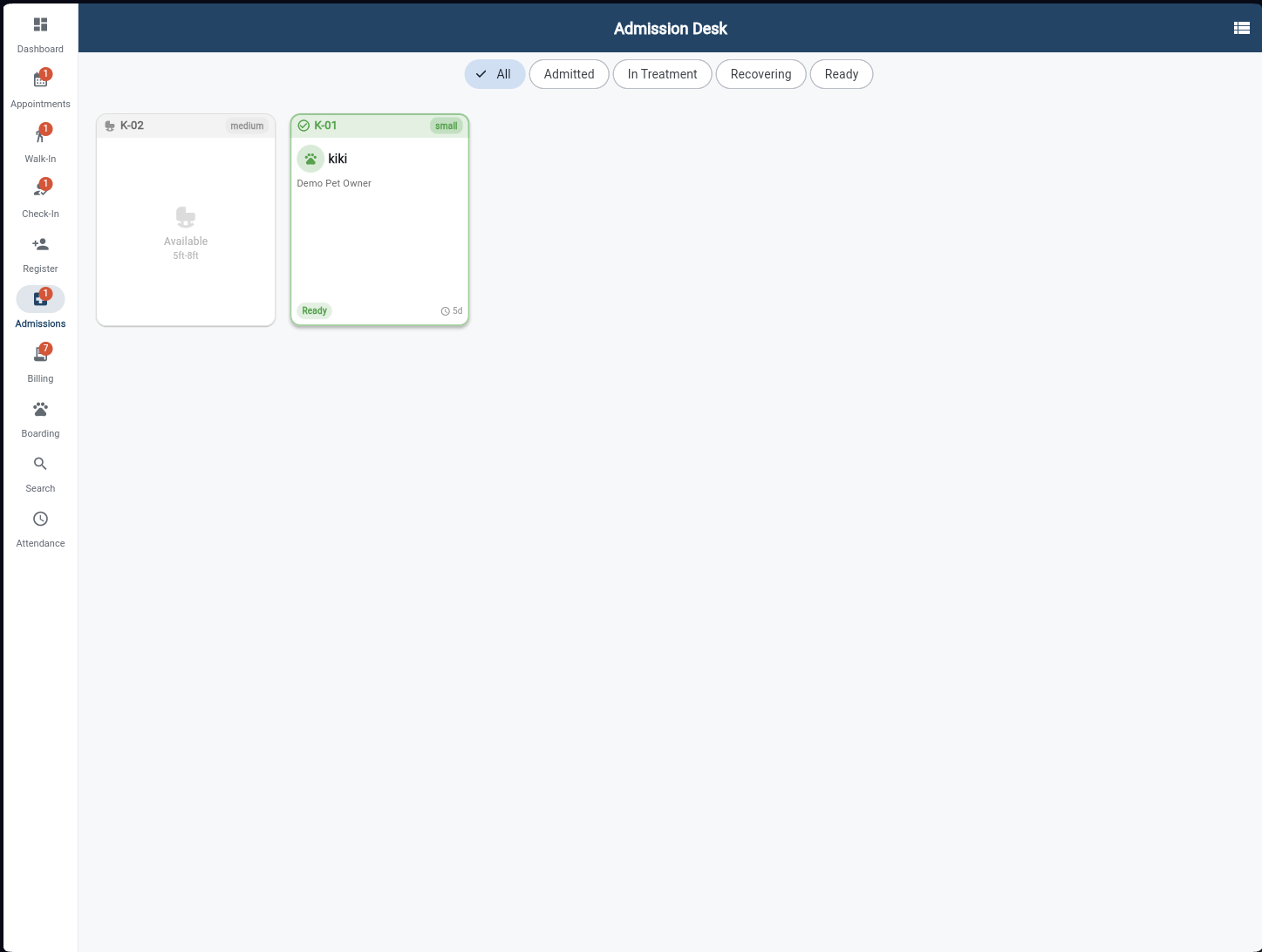
A kennel-card view of every admitted patient. Filter chips — All, Admitted, In Treatment, Recovering, Ready — narrow the board instantly. Each card shows the kennel ID, patient name, owner, admission status badge, and days admitted. Tap a card to review the full admission record or confirm discharge once the vet approves.
Billing — Pending Visits
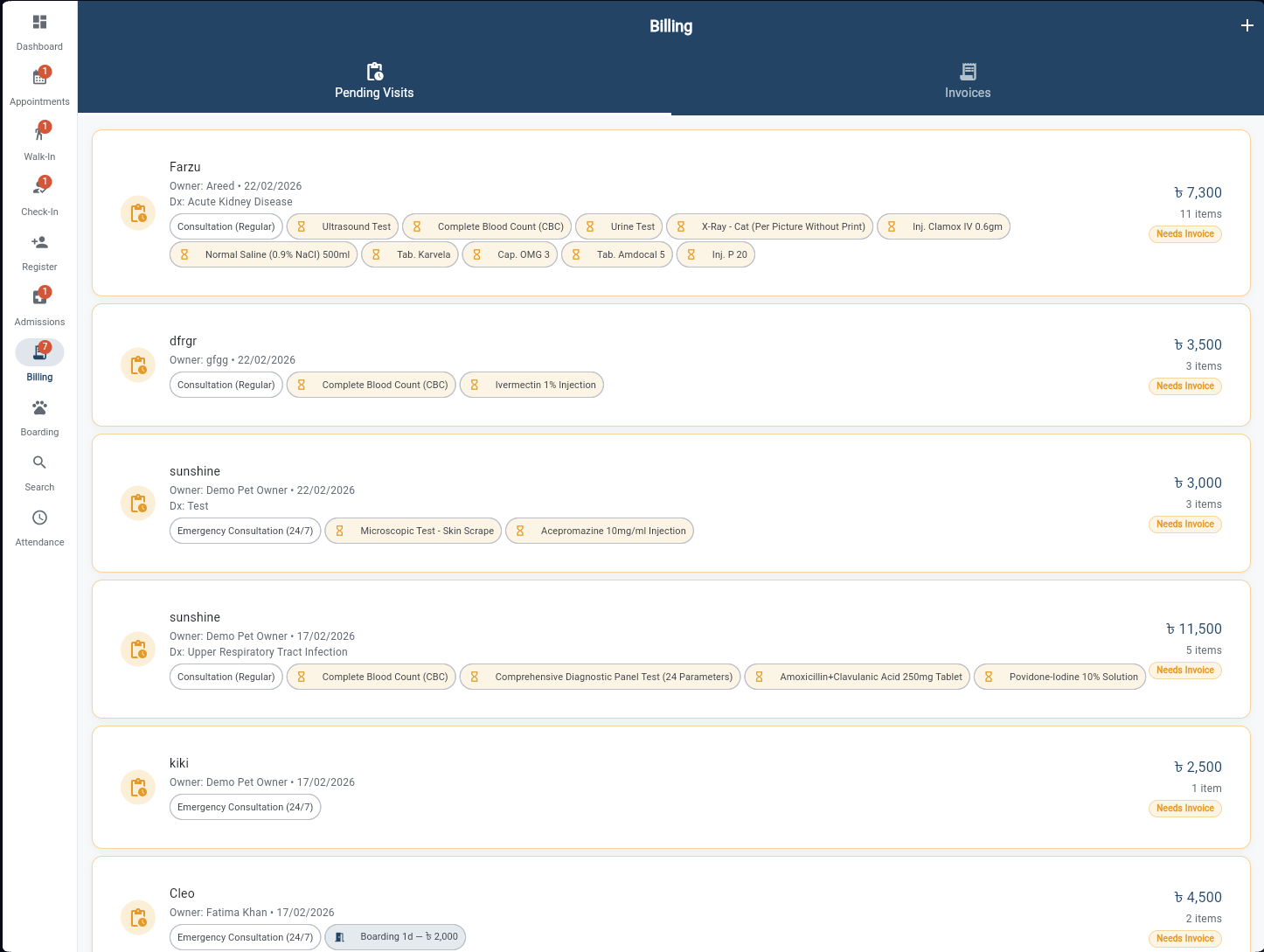
Every completed visit that hasn't been invoiced yet appears here with its full line-item breakdown — consultation type, lab tests ordered, medications dispensed, and ward charges. The total is pre-calculated. One tap generates the invoice and moves the visit to the Invoices tab, ready for payment collection.
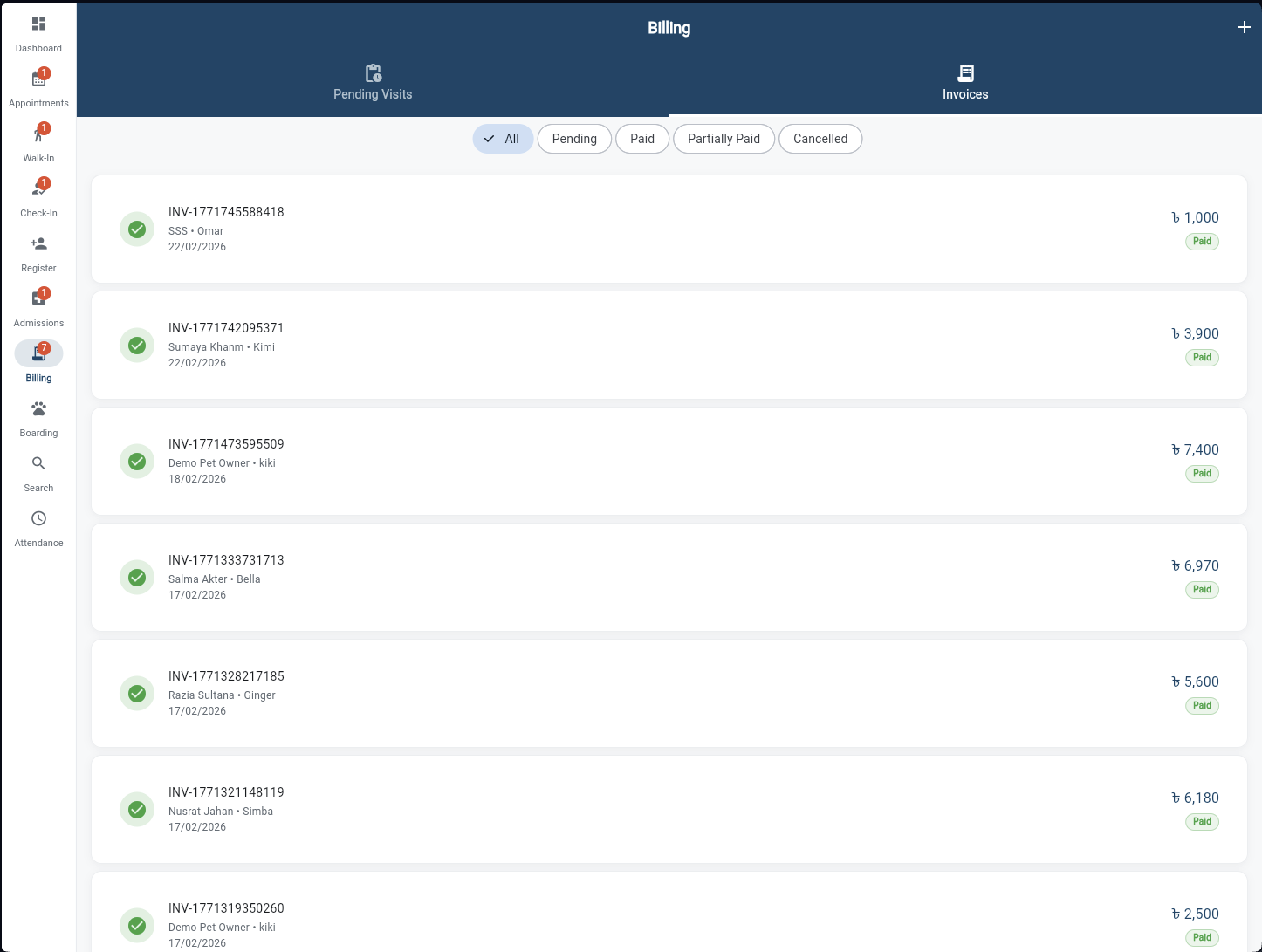
Billing — Invoices
A complete invoice history filterable by All, Pending, Paid, Partially Paid, or Cancelled. Each row shows the invoice number, client and pet, date, amount, and payment status badge. Tap any invoice to view the full breakdown, collect partial payment, or generate a PDF receipt for the client.
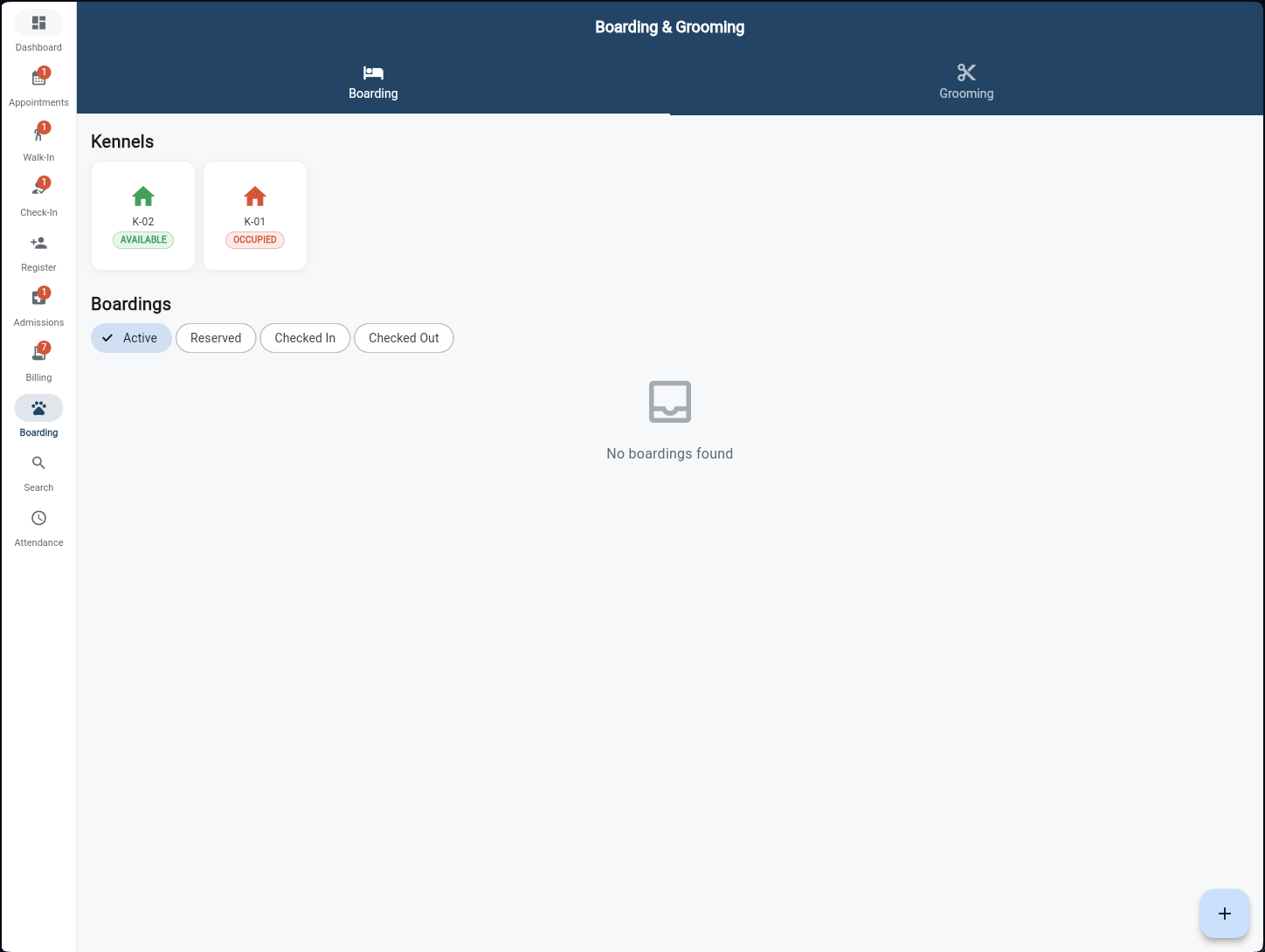
Boarding & Grooming
Two tabs in one screen. The Boarding tab shows a live kennel map — green for Available, red for Occupied — and all active boarding stays with status filters. The Grooming tab tracks grooming appointments from Booked through In Progress to Completed. Create new bookings with dates, duration, and special care instructions.
Staff Attendance
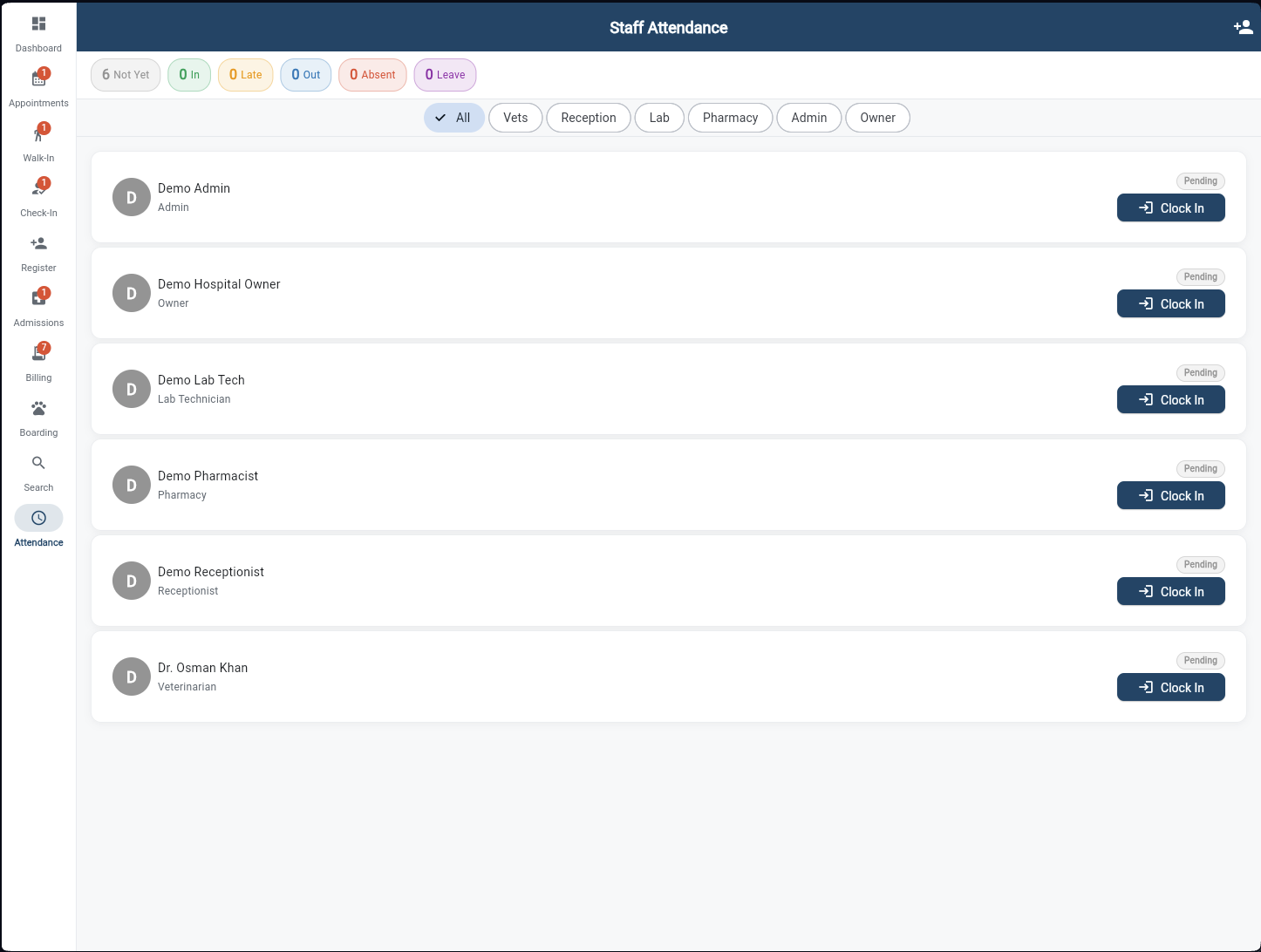
Reception manages daily staff clock-in from one screen. Summary chips show Not Yet, In, Late, Out, Absent, and Leave counts at the top. Filter by role — Vets, Reception, Lab, Pharmacy, Admin, Owner — to find anyone fast. Each staff card shows their role and a Clock In button that records the timestamp instantly.